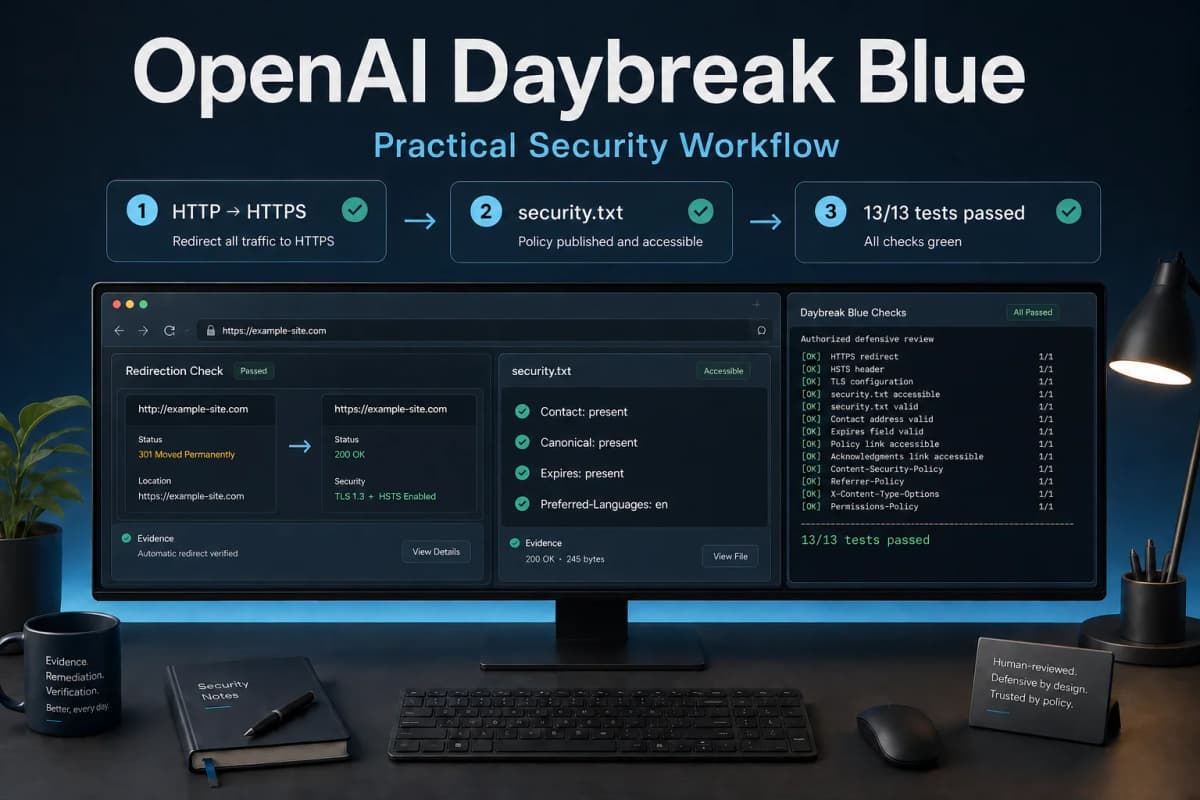
What Is OpenAI Daybreak Blue? A Practical Security Workflow on My Own Website
OpenAI Daybreak Blue helped me identify a basic but serious security failure on Mixanalytic, a website I own: its login page could remain on HTTP instead of redirecting to HTTPS. I then closed the issue through an authorized review, reproducible browser evidence, narrow patches, regression tests, and a live retest.
Before the field report, the model needs a precise definition. OpenAI describes Daybreak Blue as an alias for its flagship general-purpose models with safeguards calibrated for defensive cybersecurity work. As of August 31, 2026, the official model page lists GPT-5.6 Sol under the gpt-daybreak-blue-latest alias (Daybreak Blue model page).
That detail changes how I evaluate it. Daybreak Blue is currently a defensive access and safeguard profile around OpenAI's flagship general-purpose capability. I would not treat it as evidence of a permanently separate or inherently stronger model than GPT-5.6 Sol. The alias can change, so any technical comparison should record the model identifier, product surface, and test date.
What is OpenAI Daybreak Blue?
OpenAI positions Daybreak Blue as the starting point for most approved defensive cybersecurity work. Its documentation says the offering gives approved users reduced refusals for authorized workflows such as vulnerability discovery, secure code review, threat modeling, detection engineering, incident response, controlled malware analysis, remediation, and patch validation (Models and Trusted Access).
The current published specifications are:
| Detail | Daybreak Blue as checked on August 31, 2026 |
|---|---|
| --- | --- |
| API model ID | gpt-daybreak-blue-latest |
| Current model listed under the alias | gpt-5.6-sol |
| Positioning | Flagship general-purpose model with defensive cybersecurity safeguards |
| Context window | 1,050,000 tokens |
| Maximum output | 128,000 tokens |
| Inputs | Text and images |
| Access | Separate approval and provisioning required |
The model supports the Responses and Chat Completions APIs, structured output, function calling, and tools including web search, file search, code execution, shell, patching, computer use, MCP, and skills. Tool availability still depends on the approved product surface and environment.
Why use Daybreak Blue instead of a regular general-purpose model?
OpenAI says most defensive work can begin with general-purpose models and Codex Security. I would start there for routine dependency checks, code review, configuration review, and test generation.
Daybreak Blue becomes useful when a legitimate defensive task contains dual-use details that ordinary safeguards may interrupt. Malware analysis, vulnerability triage, detection development, and reproduction of a defensive finding can resemble harmful activity when the model lacks clear authorization context. Blue is designed to reduce refusals for approved work while retaining safeguards matched to defensive use.
The benefit is therefore workflow access, not a promise of higher benchmark scores. A team still needs an owned or explicitly authorized target, narrow permissions, an isolated environment where appropriate, and human review before sensitive actions. OpenAI makes the same recommendation in its Daybreak workflow guidance.
How is Daybreak Blue different from Daybreak Red?
Blue covers most approved defensive work with flagship general-purpose models. Daybreak Red is a separate specialist offering for a narrower set of advanced, explicitly authorized activities, including controlled exploit validation and red teaming.
Blue approval does not include Red. OpenAI requires separate approval and provisioning for Red, and it advises users to confirm the approved identity, workspace or API project, model, and product surface before starting.
How did I use Daybreak Blue on Mixanalytic?
I scoped the assessment to Mixanalytic's public surface and local source code. I own the service and authorized the test. The external checks stayed non-destructive:
The assessment did not submit credentials, log in, create accounts, upload payloads, change production data, attempt persistence, or exploit a suspected weakness.
This scope gave the model enough freedom to investigate while keeping consequential actions under my control.
What did Daybreak Blue find?
The primary finding was simple to reproduce. On August 30, 2026, both the root page and login page returned 200 OK over HTTP instead of redirecting to HTTPS. A fresh Chromium session remained on the HTTP login page, which displayed username and password fields. That browser run also loaded 20 first-party document, JavaScript, CSS, and image requests over HTTP.
The anonymous session cookie had HttpOnly and SameSite=Lax, but lacked the Secure attribute. An on-path attacker could observe or alter plaintext traffic if a visitor used that page. I found no evidence of stolen credentials and submitted none during the test.
I used independent HTTP and browser checks to verify the model's report. The finding became actionable only after those checks reproduced the behavior and bounded the impact.
What happened after the finding?
The remediation exposed why security work needs a loop instead of a one-shot answer.
| Stage | Evidence and decision |
|---|---|
| --- | --- |
| Initial assessment | HTTP root and login returned 200; the browser stayed on HTTP; 20 first-party requests used HTTP; the anonymous cookie lacked Secure |
| First patch | Production HTTPS enforcement and secure session and remember-cookie defaults were added while local HTTP development remained supported |
| Regression found | The dedicated nginx /static/ path did not forward X-Forwarded-Proto, so HTTPS assets could enter a redirect loop |
| Narrow follow-up | The proxy began forwarding the scheme, and the application kept a tightly scoped no-loop fallback for static requests missing that header |
| Additional hardening | /.well-known/security.txt was added as a public reporting route |
| Automated verification | The focused transport-security suite passed 13 of 13 tests on August 31 |
| Live verification | HTTP root, login, and a static CSS asset redirected to HTTPS; HTTPS login returned 200 with a Secure, HttpOnly, SameSite=Lax session cookie; security.txt returned 200 |
The live responses also included HSTS. Public checks confirm the observed behavior, though they cannot prove which exact commit or container revision is running.
The Content Security Policy still permits 'unsafe-inline' for scripts and styles. That remains a separate hardening project because the current templates use inline code. I would not remove the directive through a header-only edit that breaks login or application controls.
Where did the model help most?
Daybreak Blue was useful in the initial assessment:
Its strongest output was a short path from suspicion to reproducible evidence. The later patch, regression tests, deployment, and live verification were separate engineering steps.
Human review remained necessary for authorization, severity calibration, patch approval, deployment, and the final live checks. The static asset loop also showed that a security fix can create a reliability regression when proxy boundaries are incomplete.
A practical Daybreak Blue workflow
I would use the following sequence on another owned application.
1. Write the authorization boundary first
Name the systems, repositories, hosts, accounts, and time window in scope. List allowed actions and actions that require approval. State whether the model may use the network, credentials, production data, or only local fixtures.
2. Give it both code and runtime evidence
Source review can identify a risky branch. Runtime evidence shows whether users can reach it. Provide configuration with secrets removed, representative logs, response headers, and existing tests when the task allows them.
3. Require an evidence contract
Each finding should contain the affected surface, direct evidence, prerequisites, bounded impact, confidence, missing evidence, and the smallest safe fix. Ask the model to separate observed facts from inferences.
4. Reproduce before patching
Run the smallest independent check that can confirm or reject the claim. A fresh browser changed the Mixanalytic transport finding from a configuration suspicion into a visible login risk.
5. Patch and test the trust boundary
Patch the layer that owns the invariant. For Mixanalytic, that meant application HTTPS enforcement, production cookie policy, and proxy scheme forwarding. Tests covered explicit HTTP, forwarded HTTPS, canonical host behavior, cookies, static assets, and security.txt.
6. Verify the deployed behavior
A passing unit test does not prove production behavior. Retest the live entrypoints, redirects, cookies, and affected assets after deployment. Record the date and exact observations.
A prompt template for an authorized review
Review this owned application for defensive security issues.

Scope:
- Repository: [path or approved repository]
- Public host: [owned or explicitly authorized host]
- Allowed: read code, run local tests, make read-only public requests
- Approval required: edits, credentials, authenticated requests, deploys
- Prohibited: destructive tests, persistence, data changes, third-party targets

For each finding, report:
1. affected file, route, or response;
2. reproducible evidence;
3. prerequisites and bounded impact;
4. observed fact versus inference;
5. smallest safe remediation;
6. regression test and live retest.

Stop if authorization or target ownership is unclear.
The prompt gives the model an operating contract. It does not replace sandboxing, least-privilege credentials, or review gates.
What can this field test prove?
It proves that one Daybreak Blue run produced a useful finding on one owned website, and that independent checks reproduced the issue. The resulting fixes now match the intended public behavior in a live retest.
It does not prove that Daybreak Blue outperforms GPT-5.6 Sol or another vendor's model. The official alias currently points to Sol, and my planned nine-run token comparison never started because the API project I tested was not provisioned for gpt-daybreak-blue-latest. The API returned model_not_found before producing an answer or usage record. I stopped instead of substituting another model and labeling it a Daybreak run.
This was also a scoped engineering assessment, not a formal penetration test or a complete audit. It did not test authenticated roles, production data access, exploit chains, or every route. My AI chatbot security test→ follows the same evidence-first principle, while How to Benchmark AI Models for Real Work→ describes the larger test design needed for model comparisons.
How can you get OpenAI Daybreak Blue?
Daybreak Blue requires separate approval and provisioning through OpenAI's Trusted Access for Cyber program. Access is specific to the approved identity or service, ChatGPT workspace or API organization and project, model, and product surface. Applying or completing identity verification does not guarantee approval.
Access on one surface does not configure another. My initial assessment ran in Codex with the worker assigned to gpt-daybreak-blue-latest; a later request from the API project I tested did not have access. OpenAI's Models and Trusted Access guide contains the current individual and organization application routes.
Should you use Daybreak Blue?
Use regular GPT-5.6 or Codex Security first for routine defensive work. Consider Daybreak Blue when your approved workflow needs defensive cyber calibration and reduced refusals, and when your team can enforce scope, least privilege, isolation, evidence requirements, and human approval.
The Mixanalytic result gives me a practical reason to use it again. The model helped produce a reproducible finding, but the engineering discipline around it produced the fix: authorization, independent proof, narrow changes, regression tests, and a live retest.
Frequently asked questions
Is Daybreak Blue a separate model from GPT-5.6 Sol?
OpenAI calls Daybreak Blue an alias for flagship general-purpose models. As of August 31, 2026, its model page lists gpt-5.6-sol under the alias. The Daybreak offering adds access and safeguards calibrated for approved defensive cybersecurity work; the underlying alias may change later.
Is Daybreak Blue better than GPT-5.6 Sol?
I have no valid evidence for that claim. The current Daybreak Blue alias lists Sol, and my planned API comparison could not run because that API project lacked Daybreak provisioning. A fair comparison would need identical hidden cases, tools, budgets, and scoring across repeated runs.
Can I use Daybreak Blue to test any website?
Use it only on systems you own or are explicitly authorized to assess. Define the allowed systems and actions, apply least privilege, and keep human review for consequential steps.
What did the Mixanalytic test improve?
The work led to live HTTP-to-HTTPS redirects for the tested root, login, and static asset paths, secure production cookie behavior, regression coverage, and a public security.txt. CSP inline allowances remain documented follow-up work.
Sources and test record
OpenAI product and access claims in this article were checked against primary sources on August 31, 2026:
The initial Mixanalytic observations came from an authorized test on August 30. I reran the focused local transport suite and public live checks on August 31. Model aliases, access rules, and live application behavior can change, so future references should repeat those checks.