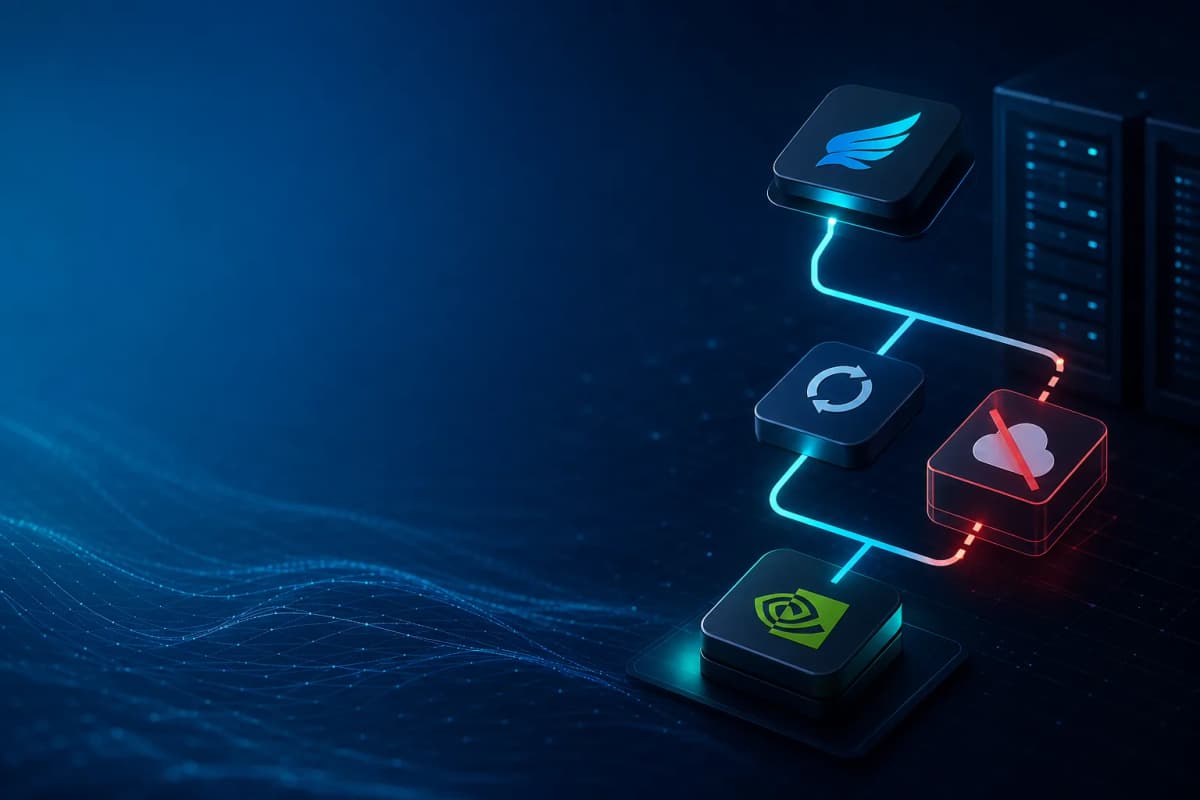
My Hermes Agent setup ran fine for weeks. Primary on Codex via my ChatGPT Pro OAuth, OpenRouter as the fallback. Then one evening OpenRouter ran out of credits and every retry — primary, fallback, retry-fallback — hit the same dead provider. My Telegram chat filled up with HTTP 402 errors every two minutes for hours. Here is the fix: a Hermes NVIDIA NIM fallback on a completely separate free credit pool, so the next provider outage does not silently break the bot.
If you have not seen the broader Hermes setup, my Hermes vs OpenClaw on Raspberry Pi→ post explains why I run Hermes at all. And my NVIDIA NIM free AI models case study→ covers the hosted API in general. The rest of this post is the wiring between them.
Why a single fallback is not really a fallback
Hermes has two relevant keys in config.yaml:
fallback_model — legacy single-dict fallbackfallback_providers — the modern list, tried in orderMost installs have one entry in either of them, pointing at the same provider as your "second-favorite" model. In my case both entries pointed at OpenRouter with different model slugs. That looks like a chain. It is not. It is one provider with two model choices.
When OpenRouter went 402 across the account, every fallback attempt hit the same response. The agent retried, failed, and reported the error back to Telegram. The chain ran out instantly.
The fix is not "buy more OpenRouter credits". The fix is "make sure your fallback chain crosses a provider boundary". A Hermes NVIDIA NIM fallback works because NVIDIA is a different provider, not just a different model.
Why NVIDIA NIM is the right pick for a Hermes fallback
NIM at build.nvidia.com gives you OpenAI-compatible model access with a generous free tier, on a credit pool that is fully separate from OpenRouter, Anthropic, or your Codex subscription.
Separate credit pool, separate failure domain
A real fallback has to fail independently of your primary. If your primary is rate-limited because your OpenRouter account hit a billing limit, a fallback on a different OpenRouter model still hits the same limit. NVIDIA NIM sits on a separate account behind separate infrastructure, so a single billing event cannot kill both.
Tool-use-capable Nemotron models
Hermes Agent runs tools constantly — file reads, web fetches, terminal commands, MCP servers. A fallback that cannot call tools is not a fallback for an agent; it is a chat partner. The Nemotron series handles tool calls correctly, which is the minimum bar for stepping into a session mid-flight.
Picking the right model
My default for the Hermes NVIDIA NIM fallback is nvidia/llama-3.3-nemotron-super-49b-v1: fast enough for interactive Telegram chat, reliable on tool calls, 128k context. meta/llama-3.3-70b-instruct is a fine alternative if you prefer Meta's tuning, and qwen/qwen2.5-coder-32b-instruct is worth testing for coding-heavy profiles. All three are on the free tier as of writing, but treat that as a moving target.
How fallback_providers actually works in Hermes
The canonical key is fallback_providers (list). Each entry is {provider, model, base_url?, api_mode?}. Hermes' own hermes fallback add command migrates legacy fallback_model into the list and drops the old key. That migration matters — if you hand-edit YAML you can end up with both keys set, and the lookup order in cli.py is fallback_providers or fallback_model, so a non-empty list silently wins over the dict.
The order in the list is the order of attempts. Hermes tries entry 0 first, then entry 1, and so on. There is no random rotation. That ordering is the lever you actually want.
Once your primary is up and stable, your slowest entry can be last. But if you know your previous-favorite fallback is the broken one — which is what happens during a real incident — you put the fresh backup first in the list, ahead of the known-dead entry. Otherwise the chain wastes a retry round hitting the dead one before reaching the working one.
Wiring the Hermes NVIDIA NIM fallback the right way
The right way is the CLI.
The three commands
ssh -t pi 'hermes fallback add'The -t is required because hermes fallback add is interactive. It reuses the picker from hermes model, prompts for the provider (NVIDIA), asks for the API key, writes the entry into fallback_providers plus a matching custom_providers block in config.yaml, and clears any conflicting legacy keys.
Verify:
ssh pi 'hermes fallback list'You should see NVIDIA in the chain with your chosen model. Restart the gateway so the new chain takes effect:
ssh pi 'hermes gateway restart'Three commands, no manual YAML editing, no risk of mis-migrating fallback_model versus fallback_providers.
Why not write a YAML patch script
The temptation to write your own script is real if you have multiple profiles and want to update them all at once. I built one for my setup, then walked it back to the CLI. The CLI handles state files, OAuth tokens, and credential storage that a plain YAML patch cannot reach. The migration logic alone — dropping legacy fallback_model when the list is populated — is the kind of detail a script will eventually get wrong.
How to test your Hermes NVIDIA NIM fallback works
A fallback you have not tested is not a fallback. It is hope. Three checks catch the common failure modes before the next incident.
Force a primary failure
Temporarily make the primary model invalid. Run hermes config set model.default invalid-model-name and send the agent a normal message. The gateway log will show the primary fail, then a "switching to fallback" line, then the NVIDIA call succeed.
Restore the real value when done. Skip that step and you will spend the next hour wondering why the agent is slow.
Confirm via gateway logs
The gateway log gives you the exact request flow:
ssh pi 'hermes logs gateway -f --component gateway'A successful Hermes NVIDIA NIM fallback chain looks like this:
Provider: openai-codex Model: gpt-5.5 followed by an error (HTTP 429, HTTP 402, or a connection failure)Switching to fallback providerProvider: nvidia Model: nvidia/llama-3.3-nemotron-super-49b-v1 followed by a successful responseIf you see step 2 but never step 3, your custom_providers block is missing or the API key is wrong. Re-run hermes fallback add and let it overwrite the entry rather than hand-fixing it.
Monitor going forward
Two things are worth pinning for ongoing visibility:
hermes insights --days 7 shows per-provider call counts and cost breakdown. The NIM column should be near zero on a healthy week and spike only during the rare incident when the primary is down.hermes logs errors --since 24h | grep -i fallback catches silent fallback drops that did not bubble up to user-facing errors.If both stay quiet on healthy days and only move during real incidents, the Hermes NVIDIA NIM fallback is doing its job.
One gotcha: `hermes status` will lie about NVIDIA
After you wire it up, hermes status will still show:
NVIDIA ✗ (not set)That is a display bug, not a real problem. The status panel only checks well-known environment variable names (NVIDIA_API_KEY, etc.) and does not introspect custom_providers entries that store the key inline. The fallback chain still works at runtime — confirm with the force-failure test above.
What I would do differently
Two things, both meta-lessons:
Set up the Hermes NVIDIA NIM fallback before you need it. A free NIM key takes five minutes to provision and you never have to think about it again. I waited until I was already in a midnight incident.
Read the docs before editing files. Hermes has a real CLI surface (hermes fallback, hermes config, hermes profile, hermes doctor) that handles schema migrations correctly. Every time I tried to be clever with sed or direct YAML edits during the incident, I created a new problem to debug. The CLI is the only sanctioned path.
The fallback chain has been quiet since. OpenRouter is topped up. NIM has not been called once in production — which is what a good fallback should do.