I built this AI invoice automation workflow because forwarded invoice emails are messy, duplicates happen, and finance mistakes are expensive. In this case study, I’ll show how I use a narrow Hermes Agent profile to read invoice emails, verify PDFs, deduplicate entries, match consultants and projects, and create or update Perfex CRM expenses only when every check passes. I use AI invoice automation to speed up the boring part, but I keep the decision gates strict.
The goal is not fully autonomous finance. The goal is controlled finance automation with deterministic checks, auditability, and human escalation. That distinction matters if you want speed without posting the wrong expense into your CRM.
Why I Built This AI Invoice Automation Agent
The manual workflow problem
Invoice handling looks simple until you run it in a real company. Emails get forwarded, PDFs arrive through links, the same invoice gets sent twice, and consultant bills often include just enough context to confuse a general-purpose assistant.
I see the same failure modes again and again: sender names that don’t match the real supplier, reference fields that point to a person instead of a company, and duplicate forwards that look new if you only trust unread mail. Automate that blindly, and you’ll create bad expenses and waste time cleaning them up.
That’s why I built this AI invoice automation setup as a conservative operations system, not a clever chatbot. It has one job: process invoices safely and stop when something looks uncertain.
What the agent needs to solve
The agent has to do more than extract an amount. It needs to decide whether the email contains a real invoice, whether the PDF is valid, whether the item already exists, whether it belongs to an existing consultant cost, and whether Perfex CRM should receive a new record or an update.
It also needs memory. Not raw memory about everything, but structured memory about patterns: how certain suppliers invoice, how consultants label references, and which projects usually receive which costs. That’s where vector memory becomes useful. It helps with matching, but it never gets to overrule a live reference field or a verified duplicate check.
System Overview
Hermes Agent profile and responsibilities
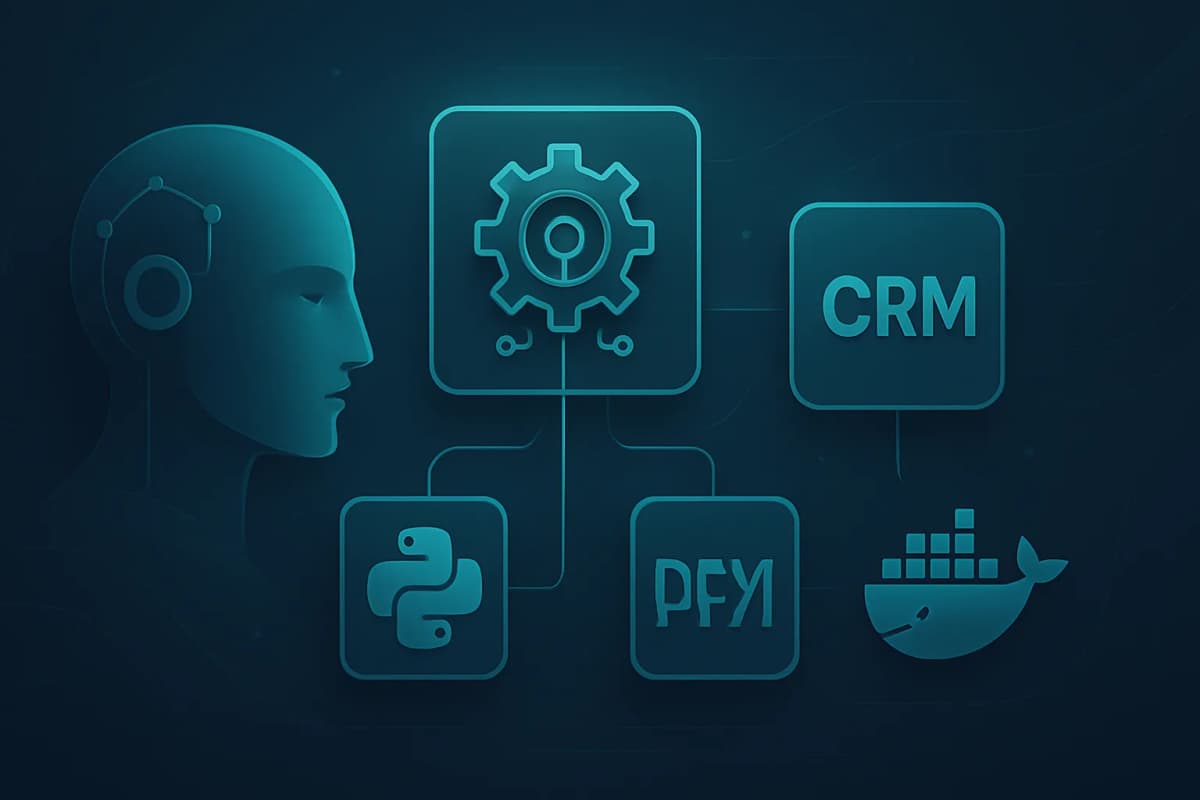
I run this workflow through a dedicated Hermes profile called optagonen-ekonomi. I kept the scope deliberately narrow on purpose. It handles inbox monitoring, invoice parsing, PDF/OCR checks, deduplication, Perfex CRM expense handling, attachment verification, and Telegram reporting. It does not handle SEO, outreach, social media, or development work.
That narrow scope is safer than one general-purpose assistant handling everything. In practice, it’s the same reason I wrote about how I design narrow AI agents→: smaller agents fail in fewer ways, and when they fail, the failure is easier to trace.
This matters for AI invoice automation because finance work punishes confidence without evidence. A narrow Hermes profile gives me a controlled lane, not a vague “do everything” assistant.
Email ingestion, PDF checks, CRM sync, and reporting flow
The process starts with a mailbox watcher that inspects a bounded recent IMAP UID window. I do not rely only on unread status, because other ingest flows can mark mail as seen. Instead, I compare each candidate against local dedupe state and live CRM/reference state before doing anything else.
From there, the agent reads the email body, extracts invoice signals, validates the PDF, checks for duplicates, maps the invoice to the right target, and then writes to Perfex CRM only if the data is consistent. That whole loop fits naturally into a broader automation stack, which is why this project connects well to my AI automation ecosystem CRM build→.
I also designed the agent around tool-based checks rather than vague reasoning. If you want the implementation mindset behind that, I recommend thinking in terms of practical agent-tooling architecture→. Deterministic tools are what make an agent trustworthy.
Invoice Email Parsing
Which email signals matter
AI invoice automation fails when it trusts the wrong signal. Sender address matters, but it is not enough. Subject lines help, but they’re not enough either. The body text and the invoice itself carry the real decision data.
The most important fields are the invoice number, amount, date, supplier identity, and the invoice reference. In my workflow, the Er referens field matters more than the sender name when deciding who or what the expense belongs to. I keep repeating that because it prevents the most common finance automation mistake.
That sounds minor. It isn’t. A supplier or intermediary can forward an invoice on behalf of a consultant, and if you only trust the sender, you’ll attach the expense to the wrong person or project.
Extracting vendor, amount, date, and reference data
I treat parsing as a structured extraction problem, not a free-form summary task. The agent reads the email body first, then looks for invoice metadata, then cross-checks the PDF text or OCR output against the email claims.
The workflow focuses on a few stable fields:
Er referensIf the body says one thing and the PDF says another, the agent stops. If the reference field is missing or ambiguous, the agent stops. If the amount does not match the live context, the agent stops.
That conservatism is the core of safe AI invoice automation.
PDF Invoice Verification
Basic validation checks
A PDF is not valid just because a link exists. I verify the actual file before the agent creates anything in Perfex CRM. The file must be a real PDF, not HTML, not a login page, and not a broken download response. If the file does not start with %PDF, I treat it as untrusted and stop.
I also check whether the PDF came from the email as an attachment or from a verified public download link. If the link requires login, expires, redirects to HTML, or returns a non-PDF file, the workflow asks for human review instead of guessing. That rule saves time later, because it keeps bad records out of the CRM in the first place.
Detecting malformed, missing, or suspicious invoices
I do not assume every attached document is the invoice. I use the actual invoice PDF, not a specification attachment, unless the human explicitly requests otherwise. That matters when vendors include brochures, order confirmations, or duplicate PDFs in the same thread.
The file must be complete enough to support a real accounting decision. If the amount is missing, the reference is unclear, or the supplier identity does not match the email body, the agent stops. AI invoice automation works best when it refuses to improvise.
A simple rule keeps the workflow safe:
That’s conservative by design. It’s also what keeps the process auditable.
Deduplication Strategy
Matching by invoice number, amount, vendor, and date
Duplicate invoices are where automation gets expensive fast. I do not rely only on unread mail or message IDs, because other ingest flows can mark mail as seen. Instead, the agent inspects a bounded recent IMAP UID window, compares it against local state, and checks the live Perfex/reference context before it creates anything.
The dedupe logic looks at the usual invoice markers: supplier, invoice number, amount, and date. If those signals point to an existing record, the agent treats the email as a repeat unless the human needs an update instead.
That process is the heart of practical AI invoice automation. It cuts repeated work without pretending the mailbox is a clean source of truth.
Handling near-duplicates and repeated forwards
Forwarded invoices often look new even when they’re not. A colleague forwards the same PDF from a different thread. A supplier sends the same invoice with a new subject line. A consultant replies with a corrected note but the same document.
I handle those cases by checking the combination of live CRM data, local dedupe state, and known invoice patterns. Vector memory helps here, but only as context. It cannot override a verified duplicate check, and it cannot invent a match when the evidence is weak.
The rule is simple: if the system cannot prove it is new, it must assume it is not new.
Matching Consultants and Projects
Mapping invoice context to the right expense target
This is where reference fields matter most. I always read the email body and the invoice field Er referens before choosing owner, person, or project. The sender company alone is not enough.
That lesson came from a real correction. One consultant invoice initially matched the wrong person because the supplier and sender suggested Black Moose/Eventcenter, while the invoice reference pointed to Alex. I corrected the workflow so invoices with references like Sotenäs V20 Alex or Oxelösund V19 Alex attach to Alex Jassim’s existing expense, not Black Moose, even if the legal supplier looks different.
That’s a strong example of why AI invoice automation needs auditability and memory correction. Memory can help you learn patterns, but the invoice reference still wins.
Fallback rules when confidence is low
When confidence is low, I do not guess. I stop and ask for review. That usually happens when the supplier is unknown, the category is unclear, the project is missing, the amount does not reconcile, or the invoice reference conflicts with the sender assumptions.
Vector memory helps me recognize recurring patterns like own-company invoices, Bokio links, finance intermediaries, Eventcenter/Black Moose, and consultant-specific habits. However, it only informs the choice. It never overrides explicit invoice data.
If you are building AI invoice automation yourself, this is the rule to remember:
Creating and Updating Perfex CRM Expenses
Expense creation workflow
I only create a new Perfex CRM expense after the agent has passed the validation, dedupe, and matching checks. That includes verifying the live record context, confirming the PDF attachment, and making sure the amount and vendor fit the target.
The workflow also respects Optagonen’s accounting rules. Amounts go into Perfex normally ex VAT, and the system uses 25% VAT, tax id 1, unless a saved supplier rule says otherwise. The default expense date follows the upcoming Swedish bank day and SEB routine, not the invoice date.
That may sound operationally small, but those defaults eliminate a lot of manual cleanup.
Update logic for already known invoices
AI invoice automation should not treat every invoice as a brand-new object. For consultant invoices, I first try to match an existing project-visible Perfex cost and attach or update it instead of creating a duplicate expense.
That distinction matters. A new expense creates a new accounting event. An update improves an existing one with better reference data, a verified PDF attachment, or a corrected project link. If the system already knows the cost, updating it is safer than duplicating it.
Audit trail and traceability
I always want to answer the same question later: why did the agent create or update this record? If I cannot trace that decision back to the email, the PDF, the reference field, and the live Perfex state, then the workflow is too loose.
That’s why AI invoice automation must be verified end to end. You should be able to inspect the CRM record, the attached file, the dedupe state, and the reasoning trail without reverse-engineering what the agent thought.
Vector Memory for Learning Over Time
What gets stored in memory
Vector memory helps the agent improve recurring matching without turning it into a black box. I use it to store sanitized patterns about suppliers, consultant references, project cues, and invoice handling outcomes. I do not need raw invoice content or secrets to learn the pattern.
The memory table and tool I use support a narrow lesson loop: what matched, what failed, what got superseded, and what should happen next time. That’s enough to improve future decisions without creating privacy or governance problems.
How memory improves future matching and classification
Memory becomes useful when the same invoice family appears again and again. A recurring supplier may always send from one address but bill through another. A consultant may use a specific reference format that maps to a person or project. A known intermediary may forward invoices on behalf of someone else.
The value of memory is not prediction for its own sake. The value is reducing repeated manual review when the pattern is already known. In AI invoice automation, that can save time, but only if the memory stays subordinate to live evidence.
That’s why I treat vector memory as evidence, not authority. A saved pattern can suggest a likely match, but it cannot beat a verified invoice reference or a known project-visible cost.
Safe Telegram Reports
What the agent can report automatically
Cron is enough for this workflow because I do not need millisecond response times. The watcher runs every two minutes, which is fast enough for internal finance operations without making the system noisy. Telegram then handles the human-facing layer.
I only send messages when something changes or when a human decision is required. If nothing happens, the agent stays silent. That silence matters because it keeps Telegram useful instead of turning it into another stream of noise.
This is one of the reasons Hermes fits the use case well. Hermes Agent supports messaging gateways and Telegram workflows, so the operator can keep the loop inside a simple, observable channel.
Redaction, summarization, and approval-safe messaging
I keep reports short and safe. The message should say what happened, what was verified, and what needs attention, without dumping sensitive invoice content into chat.
A good report tells me:
That’s enough for daily operations. It gives me confidence without exposing more data than the workflow needs.
Human Escalation and Safety Rules
Confidence thresholds
AI invoice automation should not chase completeness. It should chase correctness. I set the bar so the agent can proceed only when the PDF is real, the reference is clear, the dedupe check passes, and the expense target makes sense.
If any major signal conflicts, the agent stops. That includes unknown suppliers, missing or suspicious PDFs, unclear project ownership, amount mismatches, and uncertain duplicates. I’d rather spend 30 seconds reviewing a case than spend 30 minutes repairing a bad accounting entry.
When the agent stops and asks for review
The stop conditions are part of the design, not an error state. The agent should ask for review when it cannot safely continue.
That usually happens in these cases:
A conservative finance agent that knows when to stop is better than a confident one that guesses.
How AI Invoice Automation Works in Practice
The verification loop I use every time
When the agent does create or update an expense, I verify the result end to end. I do not trust a single success signal.
That sequence matters because each step proves the last one worked. AI invoice automation is only valuable if the record, the attachment, the bookkeeping document sync, and the internal state all agree.
Bookkeeping document sync
The final step is not just saving a PDF inside the CRM. The workflow also syncs the verified invoice file into the document structure used for bookkeeping. That gives the person doing the accounting the same evidence the agent used: the invoice PDF, the CRM expense record, the reference number, and the project or category context.
This matters because AI invoice automation should not only create data. It should prepare clean, reviewable bookkeeping support. The CRM record explains what was registered, while the synced document gives the accountant the underlying evidence needed to book the cost correctly.
In my verification loop, a case is not considered complete until the CRM expense, the attached invoice file, and the bookkeeping document sync have all been checked. If that sync fails, the agent should report the issue instead of pretending the workflow is done.
Why this loop keeps the system safe
A lot of automation demos stop at “the agent said it did the thing.” That is not enough for finance. I want evidence in the CRM, evidence in the file table, evidence in the bookkeeping folder, evidence in memory, and evidence in the operational state.
If one piece is missing, I treat the run as incomplete. That keeps the workflow auditable and makes troubleshooting much faster when something does fail.
Results, Lessons, and What I’d Improve Next
Time saved and failure cases
I do not frame this as fully autonomous finance, because it is not. I frame it as safer finance automation with fewer manual steps and fewer duplicate checks. The biggest win is reducing repetitive invoice triage while keeping the final decision conservative.
The biggest failure case taught me the most: the Black Moose/Alex correction. It proved that supplier identity can mislead you, while Er referens often points to the real owner or project. I corrected the memory, marked the wrong rows superseded, and added the better rule.
That is the right way to build AI invoice automation in production. You keep the system narrow, you let it learn, and you fix the memory when reality disagrees.
Next steps for stronger automation
If I extend this further, I would improve structured validation, strengthen consultant matching, and keep tightening the stop conditions. I would also keep the human approval gate for ambiguous cases.
The lesson is simple. Narrow scope, verified documents, conservative automation, and human escalation beat flashy autonomy every time.
Checklist for Safe AI Invoice Automation
Er referens.The best AI agents are narrow, auditable, and willing to stop. That’s the core lesson behind this AI invoice automation system: verified documents, conservative decisions, and human escalation keep finance workflows safe while still saving time. If you are building something similar, use the checklist above and keep the approval gate in place.