I built Optagonen's internal company app so our workshop facilitators could work from their phones: find the next assignment, read the plan, contact the team and collect material against the right workshop.
The business already had a system for organising that work. I wanted the phone experience to follow the person delivering the workshop, with the camera, schedule and practical details close at hand.
The app targets iPhone and Android through a shared React Native and Expo codebase. Most of it was built in Claude Code, with Codex reviewing. The development milestones described here run from November 5 to November 14, 2026.
This is a case study of an internal tool still in development: what it does, what it connects to and how far it has been tested.
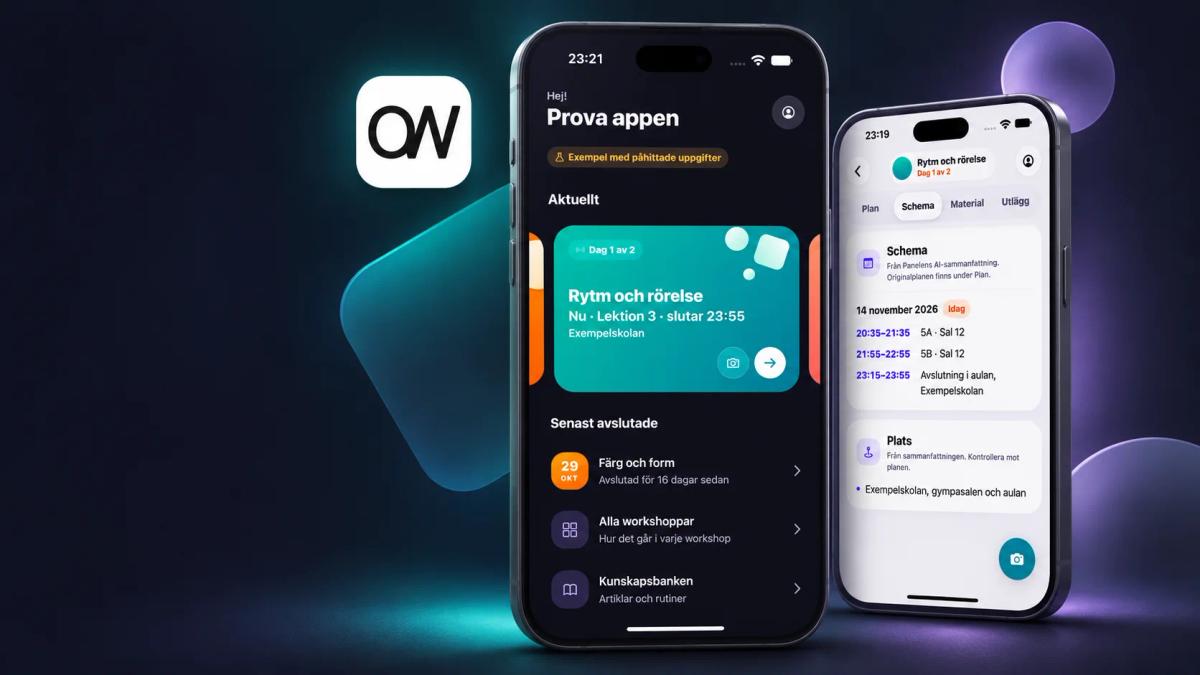
The cover is an AI-generated product illustration based on the app's demo screens. The images inside the article are original simulator captures.
Why build an internal company app?
Optagonen, the company I founded, brings professional artists and facilitators into schools, libraries and youth centres. Young people write and record songs, tell stories and create together. Our published company figures describe more than 500 workshops in over 150 Swedish municipalities since 2015. The workshop catalogue shows the formats and groups we work with.
In our historical workshop surveys, 50 of the 57 responses marked "teacher/person responsible" rated the overall experience 4 or 5 out of 5. The answers span October 2021 to October 2026. They are self-selected workshop responses, not a representative measure of all customers or a rating of the new app.
The teacher feedback Optagonen has published adds the human detail. A music teacher describes the workshop as professional and says the teacher and pupils were very pleased. Another teacher praises the facilitators' engagement, structure and ability to involve pupils. I want the app to support the preparation and follow-up that sit behind that experience.
The people delivering those workshops need a different view of the business from someone working in the office.
A facilitator needs the current assignment, the original plan, the workshop address and the people involved. During the session, they may need an instrumental, a camera or a way to record feedback. Afterwards, the office needs the material and information attached to the correct project.
Those requirements gave the app its scope. I started with workshop plans and photo collection, then extended the same workflow to schedules, music, expenses and evaluations.
The important design decision was to keep the existing business system as the source of truth. I did not need a second customer database or a separate copy of project permissions. I needed a useful mobile interface to the information we already maintain.
What does the Optagonen app do?
The home screen puts the current or next workshop within reach, alongside requests and actions that need attention. Previous workshops remain accessible. Inside a workshop, the app groups the work around the plan, schedule, material and expenses.
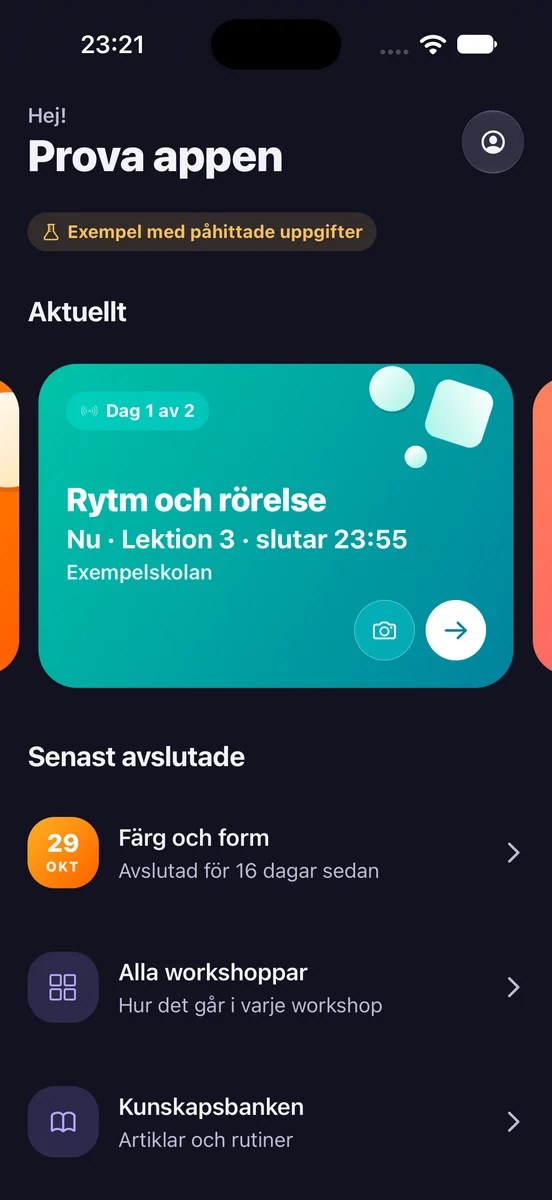
Real simulator capture from version 0.4.0, build 48, in demo mode. Every screenshot in this article uses invented workshops and people. Demo lesson times are generated relative to the capture time, which is why they run late into the evening. No customer data or live uploads appear.
Prepare for the day
Facilitators can read the original workshop plan, see the team and open the workshop address in maps. The daily schedule brings together session times, classes and rooms where those details are available. An optional AI brief helps organise the plan into an overview and schedule.
The human-written plan remains authoritative. The AI summary is a helper; the map opens the explicitly identified workshop address, without substituting a billing address or an AI guess.
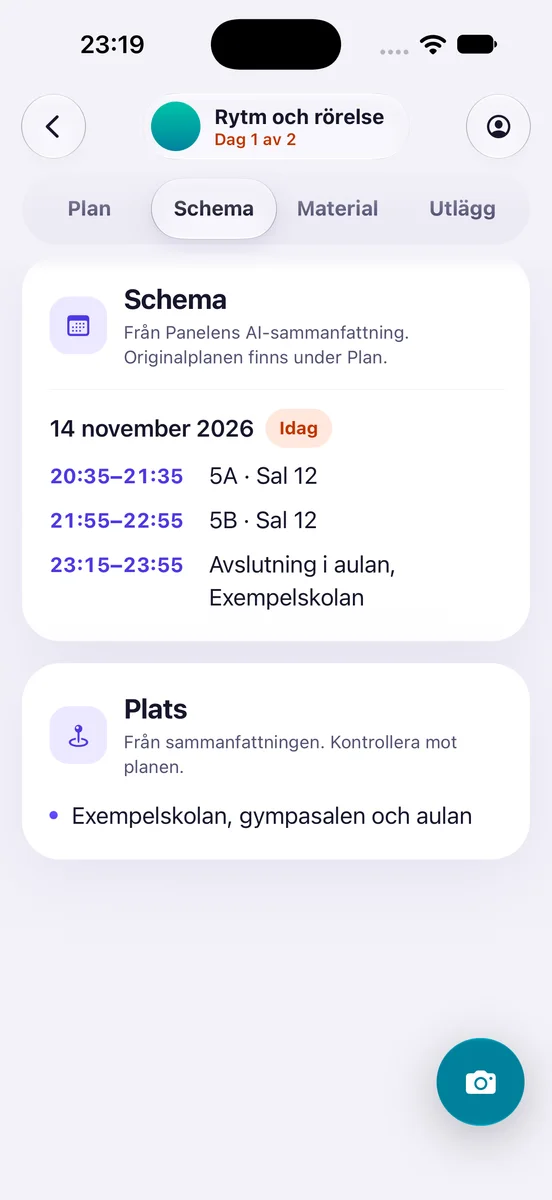
The demo schedule groups lesson times, classes and rooms. The example venue comes from the summary and is flagged to check against the plan. The app labels the source and points back to the original plan.
The knowledge bank is also available inside the app, with search and saved reading copies. That puts workshop instructions closer to the work, without requiring the user to find them in a separate browser session each time.
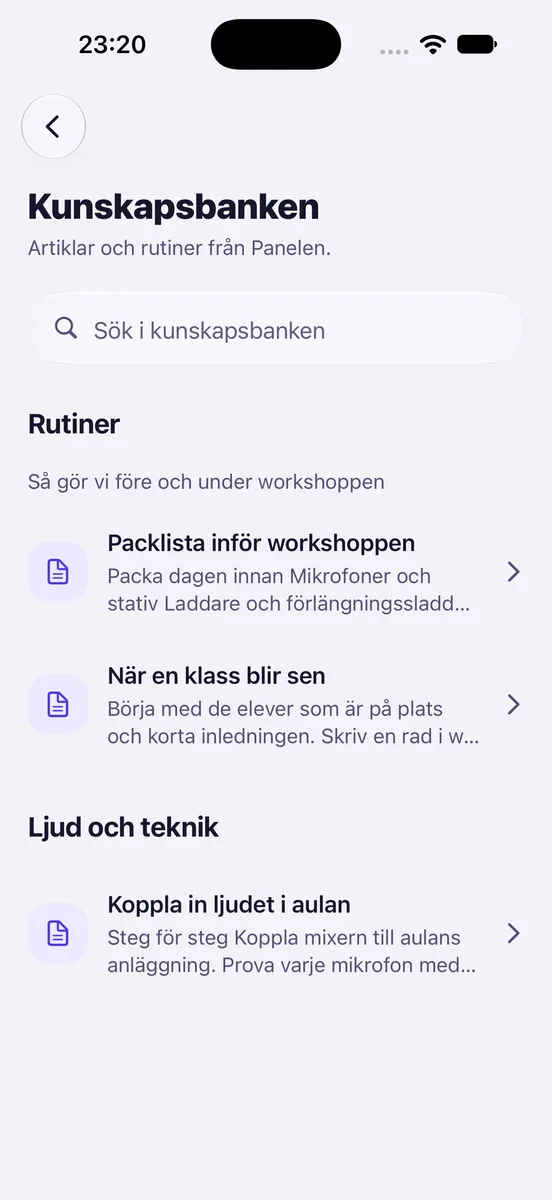
The in-app knowledge bank, shown with fictional packing, workshop and audio-setup articles. These examples stay separate from the live business content.
Get reminders and see today's sessions
Facilitators can opt into reminders the evening before a workshop and on the morning of each workshop day. Other prompts help them show the teacher survey code before a longer session ends and upload the day's photos and video afterwards. Tapping a reminder opens the relevant part of the app.
On iPhone, a Today widget and a Live Activity put the day's sessions on the lock screen and Dynamic Island. Lesson times appear only when the brief and the business system's schedule agree. The display keeps details minimal because pupils or other people may see the screen.
The reminders run on the phone. Server push is separate: it carries events such as new workshop requests, bookings, plan changes and evaluation requests. Delivery and timing still need physical-device checks; the presence of notification code alone does not prove that a person received it.
Collect photos, video and audio
The app includes camera and media-selection flows tied to the selected workshop. Photos start uploading after they are added, and the interface distinguishes local material from a confirmed cloud upload. Video and audio files have their own supported upload and playback paths.
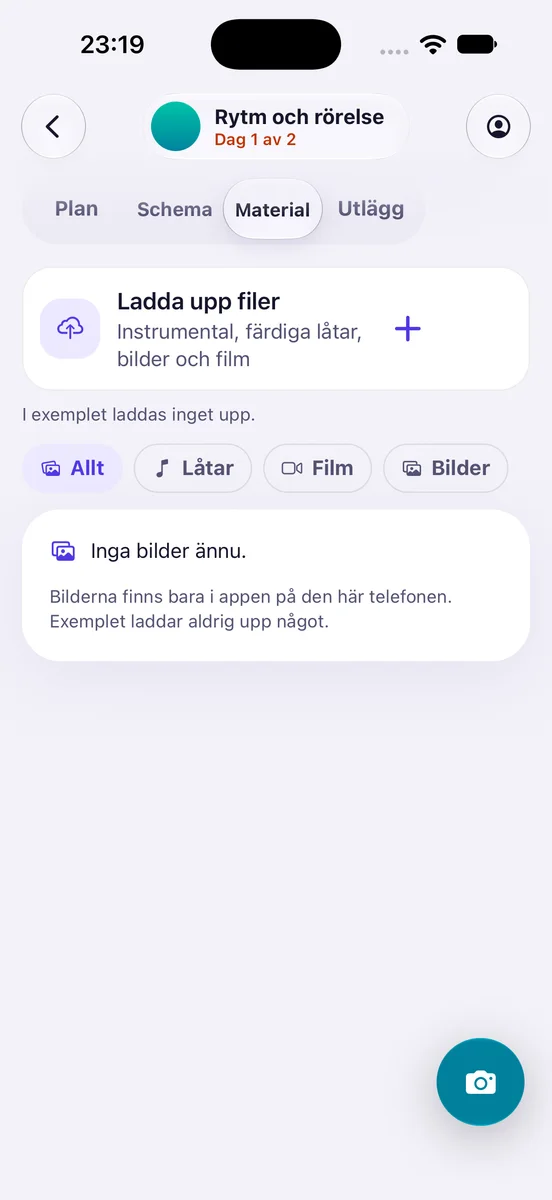
Songs, video and photos sit inside the selected workshop. Demo mode explicitly disables uploads, so this screen illustrates the interface rather than cloud-delivery proof.
Original workshop media goes to the project's existing Dropbox location. The server checks access and returns a stored upload receipt before the app labels a photo as saved in Dropbox. Failed or uncertain uploads need a retry state, rather than a success message based only on a button press.
This remains an area for physical-device testing. The latest release notes record a camera queue limitation: a new capture waiting behind an upload can remain vulnerable to an interruption before it reaches local storage. I would not describe the current camera workflow as loss-proof.
Work with music and lyrics
Music is part of the workshop workflow, so the app includes project audio and a classroom player. Instrumentals used before or during a workshop remain separate from finished songs that later need lyric review.
The wider system can transcribe a finished song and return the lyrics for correction and approval in the app. Lyric updates are checked against the relevant audio version, so a correction for an older recording does not silently overwrite work on its replacement.
The iPhone classroom player also has a native audio engine with waveform and looping controls. Some audio features are platform-specific; a shared player interface does not establish identical behaviour on Android.
Finish the administrative work
Staff can enter workshop expenses inside the app. A receipt scan can suggest fields, which the person checks and edits before submitting. Manual entry remains available.
There are separate flows for teacher survey access, a facilitator's own evaluation and class ratings after lessons. These answer different questions and should not be combined into one generic feedback score. A Swedish dictation option uses the phone's speech-recognition service to fill written notes; that option has not yet been verified on a physical phone.
Sellers have a broader workshop overview. A seller can inspect a workshop they are not delivering, while the backend keeps the relevant actions restricted. Visibility and permission to change a project are separate decisions.
How the app connects to the existing business
The app is a focused entry point into several existing workflows. The main connections are:
The operational backend uses Perfex CRM with a dedicated mobile module. That module exposes the data and actions the app needs, while preserving the existing project and staff rules. It avoids turning the full administration interface into a mobile API.
The login flow opens the existing browser-based sign-in, including its two-factor authentication. The app receives a personal session through a PKCE-protected exchange and stores its credential with the platform's secure-storage facility. Expo SecureStore documents the native storage mechanism used here.
Provider credentials stay on the server. The app does not carry a shared Dropbox password or an unrestricted business-system key. The backend checks the person and their access for each operation.
Nextcloud exists elsewhere in the environment, but it is separate from this app's media-upload path. The workshop originals described here go to Dropbox. Likewise, the workshop schedule in the app comes from workshop data and its optional brief; it is not evidence of a direct Google Calendar connection.
Why React Native and Expo for iPhone and Android?
One shared TypeScript project lets me keep the workshop data model, permission-aware screens and much of the interface together. Expo provides the framework and device APIs around that shared application.
There is still native work. iPhone widgets and Live Activities need an iOS implementation. The classroom audio engine also uses native iOS code. Android has its own build, permissions and interaction details to verify.
React Native supports those differences through platform-specific modules and files. The practical benefit is sharing the common workflow while handling a platform's requirements explicitly.
For this internal company app, that is a useful fit. I can change a workshop flow in one place and then check the resulting experience on both platforms. I still need both checks.
Building with Fable and reviewing with Codex
Most of the app was built in Claude Code. I use Claude Fable for implementation and Codex as a separate reviewer. The current model pairing is Fable 5.2 and Codex Sol 6.1. My Fable 5.2 article explains why I use it for work that spans several parts of a system.
This app provides a concrete example of that kind of work. A photo-upload feature touches the camera, local files, account separation, backend permissions, cloud storage and the message shown after a retry. Reviewing only the screen would miss most of the behaviour.
I used my own AI Collab Bridge, available on GitHub, to connect the two. It is a free, open-source skill and review protocol: one AI prepares a packet with the change and review questions, and the other returns a verdict, specific findings and an account of what it checked. The handoff works in either direction.
For the app's 0.4 interface redesign, Claude Code received its implementation task through the bridge. Codex then reviewed the result and corrected touch targets, dividers, expanding text actions and sign-in navigation. Later review tightened the rules for the iPhone lock-screen features.
Codex also made small, targeted fixes. The separate review gave me concrete findings to address and a record of what had been checked. I explain the setup in my AI peer-review workflow.
Exact historical model attribution needs care. The first app records predate Fable 5.2's November 9 launch. The repository supports the Claude-and-Codex workflow, but does not establish that every earlier change used today's model versions.
How long did it take to build?
The first Git commit is dated November 5, 2026, at 21:22 Swedish time. It already includes the app and evidence of an iPhone installation. The recorded installation happened earlier that evening, so the first commit is a milestone rather than a stopwatch for the beginning of development.
The dated milestones show how the scope grew:
That is roughly nine calendar days of recorded iteration. It is not a measured total of working hours, and build 49 does not mean 49 completed product versions. The records do not support a precise claim about labour saved or development cost.
The existing infrastructure is part of that timeline. Identity, projects, cloud folders and business workflows were already there. The work was connecting and adapting them to the phone, alongside the new interface and native features.
What has been verified on each platform?
An earlier iPhone build was installed and launched on a physical phone. I confirmed that I could sign in and see my projects. Android builds were installed and exercised in an emulator, including navigation, themes and larger text.
The November 14 release receipt records iOS build 49 as available to the internal TestFlight group. It also records 364 passing automated tests. TestFlight is a beta-distribution channel; that status is separate from a public App Store launch or a test of every workflow on a phone.
The latest release still needs device testing. Its new Android camera-button integration was not compiled or exercised in the recorded checks, and there is no physical Android acceptance record. The build 49 notes do not verify installation and use on a physical iPhone after that release. Photo uploads, expense submission, lyric approval and push delivery still need phone checks for this version. The seller view was inspected through an administrator's view-as mode, rather than a seller's own phone login.
So far, I have a shared iPhone and Android app tested on a real iPhone and an Android emulator at earlier stages. Full testing of the latest features on both platforms is still to come.
The useful result
Optagonen now has an internal company app organised around delivering a workshop: prepare, find the team and location, work with material, then return the information the office needs.
The AI models helped implement and review that work. The existing business system supplied much of the structure. My job was to choose the workflow, keep the sources of truth clear and ask for evidence at the points where the app touches real people, files and permissions.
Next I want to see how the team uses those flows in real workshops: whether they complete uploads, find the right information and finish their follow-up. That will tell me more about the app's usefulness than another build number.