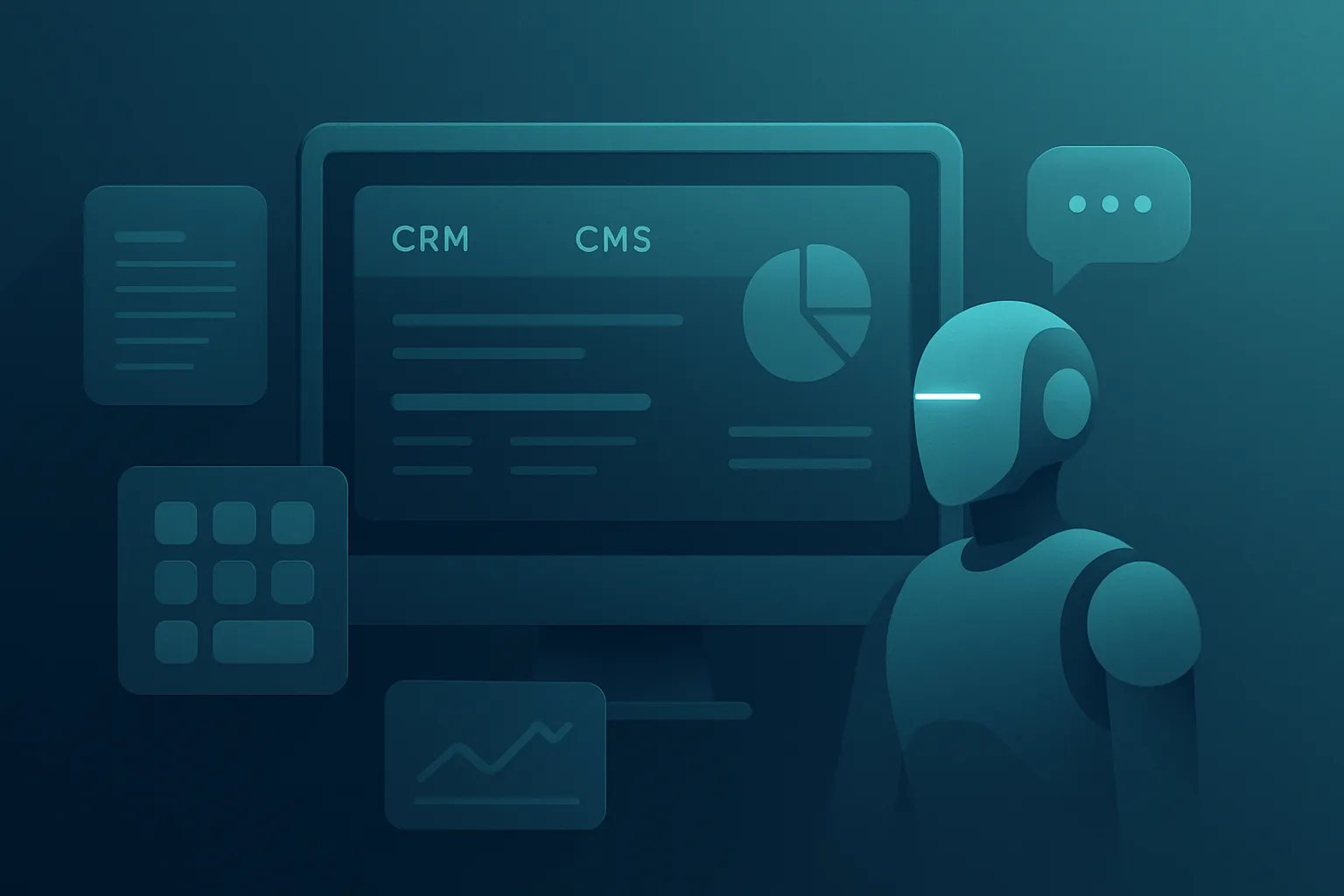
I hit a point where spreadsheets, Notion, and SaaS dashboards stopped working. When you manage 500+ posts, prioritize updates from Search Console, and publish in eight languages, a custom CRM CMS stops being a nice idea and becomes an operational advantage. In this article, I’ll show you how I built my own internal content system with Next.js, Supabase, and AI agents. I’ll break down the architecture, the dashboard features, the Search Console intelligence layer, the multi-agent pipeline, and the tradeoffs I made as a solo founder running content ops in Gothenburg, Sweden. I built the custom CRM CMS to reduce manual work, keep ownership of the workflow, and move faster without adding more tools.
Why I built a custom CRM CMS instead of SaaS
SaaS tools are great until your workflow grows faster than their opinionated UI. I needed one system that could track content, SEO status, multilingual publishing, images, tasks, and model selection without forcing me to jump between five tools.
The real problem was not content creation. It was coordination. I had to decide what to update first, which pages deserved a refresh, which queries showed opportunity in Google Search Console, and which posts should be translated next. That is where a custom CRM CMS gave me back control of the workflow.
The cost, workflow, and flexibility problems with off-the-shelf tools
Most SaaS CRMs and CMS platforms solve one slice of the problem well. They rarely solve the full chain from idea to publish to monitor to update. As a solo founder, that creates hidden costs: context switching, duplicate data, and manual status tracking.
I also wanted the system to behave like an operator, not a gallery. I needed a place where content, SEO, and translation lived in one workflow. If I had to explain the process to a contractor, the dashboard needed to make the process obvious in minutes.
There was another issue: flexibility. My site has grown into a living system, not a static blog. I need to change task flows, adjust prompts, tune model usage, and inspect content quality without waiting on a vendor roadmap.
What the system needed to solve for a 500+ post site
For a site this size, the system had to do more than store posts. It had to rank opportunities, prevent content decay, and reduce the manual burden of multilingual publishing.
I defined the core requirements like this:
That is the difference between a basic CMS and a production content ops system. The first stores content. The second helps you run a publishing machine.
Results block:
System architecture overview
I built the system as a Next.js frontend with a custom admin dashboard, backed by Supabase for data, auth, and storage. That gave me a fast interface, a reliable backend, and enough structure to extend without overengineering.
The architecture follows one rule: the dashboard should control the workflow, not the other way around. The user experience inside the admin area matters as much as the public site because that is where the real work happens.
I also leaned into AI orchestration instead of letting one model do everything. Research, drafting, SEO review, image generation, and translation each have different needs. A strong custom CRM CMS should reflect that separation. In my experience, architecture decisions like this either save you 20 hours a month or create permanent drag.
If you want a related deep dive, I covered the orchestration layer in my MCP CMS with agent flows→.
Next.js frontend and admin dashboard structure
The Next.js app serves two jobs. It powers the public-facing site and it hosts the internal admin dashboard. I prefer that setup because it keeps the stack focused and avoids unnecessary duplication.
The dashboard is where I spend my time. I can scan content queues, open post detail pages, inspect SEO scores, trigger AI tasks, review generated assets, and approve translations. That level of control matters when content operations are ongoing, not occasional.
A good internal dashboard has to be fast, predictable, and boring in the right way. I use the same app shell, navigation patterns, and route structure for both public and private areas so I do not waste time context switching.
The custom CRM CMS workflow lives inside that dashboard, so operator actions stay close to the data instead of being scattered across tabs.
At one point I tried splitting more logic into separate tools. It slowed me down. I pulled that work back into the Next.js admin dashboard and got a cleaner operator view with fewer moving parts.
Supabase database, auth, and file storage
Supabase gave me the backend foundation without slowing me down. I use it for authentication, data tables, and file storage for assets like generated images and content attachments.
It works well for a small team because it keeps the mental model simple. I do not have to stitch together separate systems for login, storage, and basic content data. I can focus on the workflow instead of backend plumbing.
In practice, Supabase acts like my CMS spine. Posts, locales, tasks, status fields, and asset references all live there, which makes reporting and automation much easier.
The practical benefit is speed. When I need to add a field, adjust a status, or create a new workflow stage, I can move quickly without rebuilding the architecture.
AI agents, queues, and background jobs
The AI layer sits on top of the data model and runs through queued jobs. I do not want AI tasks blocking the UI or competing with interactive work. Background jobs handle the heavy lifting so the admin dashboard stays responsive.
Each job has a clear purpose. Some jobs research a topic, some draft an outline, some score SEO quality, and some translate content into another locale. That separation makes failures easier to handle and results easier to audit.
I also keep jobs idempotent where possible. If a translation fails halfway through, I can retry the same task without corrupting the post record or duplicating work. When I moved this into production, that design choice saved me from several messy edge cases.
This queue-first structure also fits how I think about content operations. If a job takes time, it belongs in the background. If a human needs to review it, the system should stop and wait instead of pushing bad output downstream.
Core dashboard features
The dashboard exists to remove friction. I built it around the daily tasks that slow content operations down: finding what to update, assigning work, generating assets, and keeping each post in the right status.
The more content you manage, the more valuable simple operational visibility becomes. I do not need another beautiful app. I need a control room.
Post management for large content libraries
With 500+ posts, post management has to feel like working in a database, not browsing a blog archive. I built filters for locale, status, SEO score, update priority, and publication state so I can narrow the library fast.
That matters when you are managing both evergreen content and fresh opportunities. A page from last year might need a quick update because Search Console data changed, while a new topic might need a full brief and translation path.
SEO scoring and content status tracking
I built a content status model that separates draft, review, published, update needed, and translated states. That lets me see bottlenecks instantly.
SEO scoring lives beside those states, not in a separate spreadsheet. I can inspect the score, see what is missing, and move the post forward without guessing.
Image generation with DALL-E
I use DALL-E for supporting visuals when a post needs a custom image fast. The goal is not to replace design. The goal is to avoid shipping generic stock art when the article benefits from a specific concept image.
I review prompts, generated options, and final selections inside the workflow. That keeps the asset tied to the content instead of turning image production into a separate project.
People Also Ask generation and topic expansion
PAA-style topic expansion helps me build better coverage around a theme. I use it to surface sub-questions, related angles, and missing sections before a post goes live.
That makes the final article more useful and usually improves internal structure too. When the questions map cleanly to headings, the article becomes easier to scan and easier to rank.
Model configuration by task
Different tasks need different models. I do not use the same setup for research, SEO cleanup, translation, and image prompts.
That separation gives me more control over cost, quality, and speed. Some jobs benefit from stronger reasoning. Others need short, predictable output.
Translation workflow for 8 languages
Multilingual publishing only works when translation becomes a repeatable workflow. I built locale support so each post can move through translation, review, and publish stages without manual chaos.
I also keep translated content tied to the source post. That prevents orphaned pages and makes updates easier when I refine the original article.
If you want to see how I think about internal tooling and automation around content operations, I also wrote about AI documentation workflows→.
Workflow checklist for multilingual publishing
Search Console intelligence layer
This is where the system starts paying for itself. Search Console data tells me what Google already sees, and that changes the way I prioritize work.
I do not guess which posts deserve attention. I look at impressions, average position, click-through rate, and query clusters, then I move the highest-value opportunities forward.
Finding low-hanging fruit from impressions and average position
Pages with strong impressions and weak positions often offer the fastest wins. If a query already shows traction, I can improve the page instead of starting from zero.
That is a much better use of time than chasing vanity topics. The system surfaces these opportunities so I can update posts with a clear reason, not a vague hunch.
How queries influence content prioritization
Query data shapes the backlog. If a post attracts related terms that I did not fully cover, I expand the content. If several queries point to a missing angle, I may create a new page instead.
This is where the Search Console-aware content pipeline→ becomes useful. It turns raw search data into a practical list of actions.
Avoiding cannibalization and updating existing posts
Cannibalization happens when two pages compete for the same search intent. I use the system to compare query overlap before I decide whether to update an old post or write a new one.
When the intent is already covered, I usually update. When the angle is genuinely different, I create a new asset and link it back into the topic cluster.
Multi-agent AI content pipeline
The AI pipeline works best when each role has a narrow job. I do not want one prompt doing research, writing, SEO, image planning, and translation all at once.
I split the work into roles so each step can be measured and reviewed. That structure improves consistency and makes failures easier to isolate.
Role separation between research, drafting, SEO, and translation agents
Research agents gather context, examples, and competing angles. Drafting agents turn that into structured copy. SEO agents check keyword usage, heading structure, and topical coverage. Translation agents adapt the post per locale without rewriting the strategy.
That separation mirrors how I think about production work in general. One person should not do everything at once if the system can do the routing for them.
Prompt design and guardrails
Guardrails matter because AI output can drift fast. I keep prompts task-specific, constrain the output format, and define what the model should not do.
I also keep style rules close to the workflow. That prevents the model from over-writing, inventing unsupported claims, or losing the intended tone.
Human review checkpoints
I do not auto-publish everything. Human review happens after drafting, after SEO cleanup, and before final locale approval.
That is the point where I catch nuance, factual issues, and brand mismatches. Automation should speed up work, not erase judgment.
Data model and CRM structure
The data model matters because it shapes every workflow on top of it. If the schema is messy, the dashboard becomes messy too.
I designed the CRM side around the content lifecycle, not around generic contacts or sales pipelines.
Posts, keywords, tasks, models, locales, and statuses
A simplified version of the structure looks like this:
| Entity | Purpose |
|---|---|
| --- | --- |
| posts | Core article records |
| keywords | Primary and secondary target terms |
| tasks | Background jobs and workflow steps |
| models | Task-specific AI model settings |
| locales | Language variants for translation |
| statuses | Draft, review, published, update needed |
That structure gives me clean relationships and better reporting. It also makes it easier to see what is waiting, what is blocked, and what is ready to publish.
Relationships between content items and workflows
Each post can have many tasks, many locales, and many keyword associations. That matters because real publishing is rarely linear.
A single article might start as a draft, get SEO reviewed, generate an image, move into translation, and then return for an update after new Search Console data appears.
Building for scale and maintainability
Scale is not only about traffic. It is also about how long I can keep the system useful without rebuilding it every few months.
I care about maintainability because I am the one operating it. If the system becomes fragile, it becomes a burden instead of an asset.
Error handling, observability, and retries
I log job failures, retry safe tasks, and keep enough context to understand what happened. That helps me spot broken prompts, failed translations, or missing assets before they pile up.
I tested this in production by intentionally pushing edge cases through the pipeline. The result was clear: better retry handling saved time and made the workflow far less brittle.
Performance considerations in Next.js and Supabase
Fast dashboards matter when you are using them every day. I keep queries focused, use paging where needed, and avoid loading unnecessary data into the interface.
Supabase works well here because it gives me a clean backend without forcing me into a heavyweight stack. That keeps the admin responsive even as the content library grows.
Permissioning and secure admin access
Admin access needs to stay tight. I use authentication and role-aware access so only the right people can edit content, trigger jobs, or approve translations.
When I built this out, I wanted a secure internal system that still felt easy to use. That balance matters more than adding extra layers of friction.
I also keep internal docs close to the workflow. That is where AI documentation workflows→ helped me standardize how I explain the system to myself and to collaborators.
What I would do differently
No custom system is free of tradeoffs. Building your own stack gives you control, but it also puts more responsibility on you.
I would still build this again, but I would make a few choices earlier.
Tradeoffs vs buying a SaaS CRM/CMS
SaaS still wins when you want something ready in hours, not weeks. It also wins if your workflow is standard and unlikely to change.
Custom wins when your workflow is the product. In my case, the content operation itself became a competitive advantage because I could tune it around my actual process.
Lessons from building a custom content ops system
The biggest lesson is that workflow clarity matters more than feature count. If a tool removes friction, it pays for itself.
I also learned that every automation needs a review point. That keeps speed high without letting quality slip.
When to build your own CRM/CMS
You should build your own system when the cost of tool-hopping becomes higher than the cost of maintenance. That usually happens once you have enough content volume, enough workflow complexity, or enough automation needs that SaaS starts getting in the way.
The decision is not emotional. It is operational.
The decision framework for solo founders and small teams
Use this checklist:
If your process keeps changing and your tools keep fighting you, custom likely wins. If your process is simple and stable, SaaS is probably enough.
Where custom systems beat SaaS tools
Custom systems beat SaaS when you need one workflow across content, automation, and analytics. They also beat SaaS when you care about exact control over status logic, task routing, and model choice.
That is why a custom CRM CMS works for my content operation. It keeps everything in one place and lets me scale without locking myself into someone else’s assumptions.
Conclusion
I built this stack because content ops got too complex for generic tools. Next.js gave me the front end and dashboard, Supabase gave me the backend spine, and AI agents handled the repetitive work.
The real value came from three things: better prioritization, fewer manual steps, and a cleaner review process. When I moved this into production, I got a workflow that matched how I actually work instead of how a SaaS product expected me to work.
The best use cases for this stack are clear: large content libraries, multilingual publishing, Search Console-driven prioritization, and solo operators who need ownership. If that sounds like your setup, consider whether a custom CRM CMS can replace tool sprawl in your own content operation. Read the architecture again, test the workflow against your current stack, and decide where a custom system would save you the most time.
FAQ
What is a custom CRM CMS?
A custom CRM CMS is an internal content and workflow system built for your own process instead of a generic SaaS product. I use it to manage posts, SEO status, translations, assets, and AI tasks in one place. It works best when you need ownership and flexibility.
Why build a custom CMS instead of using SaaS?
I built mine because SaaS tools fragmented the work. I needed one system to prioritize updates, track content states, coordinate translations, and route AI jobs. A custom setup removes tool-hopping and gives you control over the workflow logic.
How do Next.js and Supabase work for a CMS?
Next.js handles the interface, routing, and dashboard experience, while Supabase handles auth, data, and file storage. That combination gives you a fast admin area and a manageable backend. It is practical for solo builders who want speed without heavy infrastructure.
Can AI agents manage blog content workflows?
Yes, but only if you split the roles and add review checkpoints. I use agents for research, drafting, SEO cleanup, images, and translation, then I review the output before publishing. Automation helps most when it supports human judgment instead of replacing it.
How do you use Search Console data to prioritize content?
I look at impressions, average position, click-through rate, and query clusters. Posts with strong impressions and weak rankings often become the first update candidates. That makes the content roadmap grounded in real demand instead of guesswork.
Is it worth building your own CMS as a solo founder?
It is worth it when your workflow is complex enough that SaaS slows you down. If you manage many posts, locales, and review stages, ownership pays off. If your needs are simple, a SaaS tool is usually the faster choice.
Live Apify Actors
Run the workflow directly
SEO Article Generator
Generate review-ready SEO articles from topic, website context, destination URL, references, and optional image generation.
Article SEO Score
Score an existing URL or pasted draft, then get issues, internal-link opportunities, and a prioritized fix plan.
SEO Article Rewrite
Rewrite an existing article with website context and return improved markdown with before/after readiness scores.