Most developers hate docs. obsidian ai documentation changes that fast when I tie it to real code and AI agents. I use this approach to document a complex e-commerce platform with storefronts, integrations, and backend modules that change constantly. The goal is simple: keep the docs accurate, useful, and easy to maintain.
Why Obsidian AI Documentation Breaks Old Wiki Workflows
Traditional documentation breaks for predictable reasons. It sits too far from the code, so it drifts the moment your team ships a change. I have seen this in real systems many times, and it creates the same mess every time: stale pages, duplicate notes, and confused engineers.
The bigger issue is ownership. Nobody wants to be the person who updates a wiki after a long day of debugging. As a result, docs become historical artifacts instead of working tools. That is why I moved to obsidian ai documentation inside a local vault connected to the real codebase.
Why I Chose Obsidian for AI Documentation
I chose Obsidian because it gives me a local-first Markdown vault that AI agents can read and write directly. That matters when you want speed without vendor lock-in. I tested this setup in a production e-commerce environment, and it held up better than cloud wikis for one reason: it stays close to the source of truth.
Obsidian also gives me wikilinks, backlinks, graph view, and Git-friendly files. That combination makes it ideal for obsidian ai documentation because the system can grow without becoming chaotic. I can see missing links, broken structure, and orphaned notes before they become real problems.
According to the Obsidian help docs, notes are plain Markdown files. That simple design is the real advantage. My agents can inspect, update, and reorganize documentation without fighting a proprietary API.
What Obsidian Gives Me in Practice

The Two-Agent System I Use for Obsidian AI Documentation
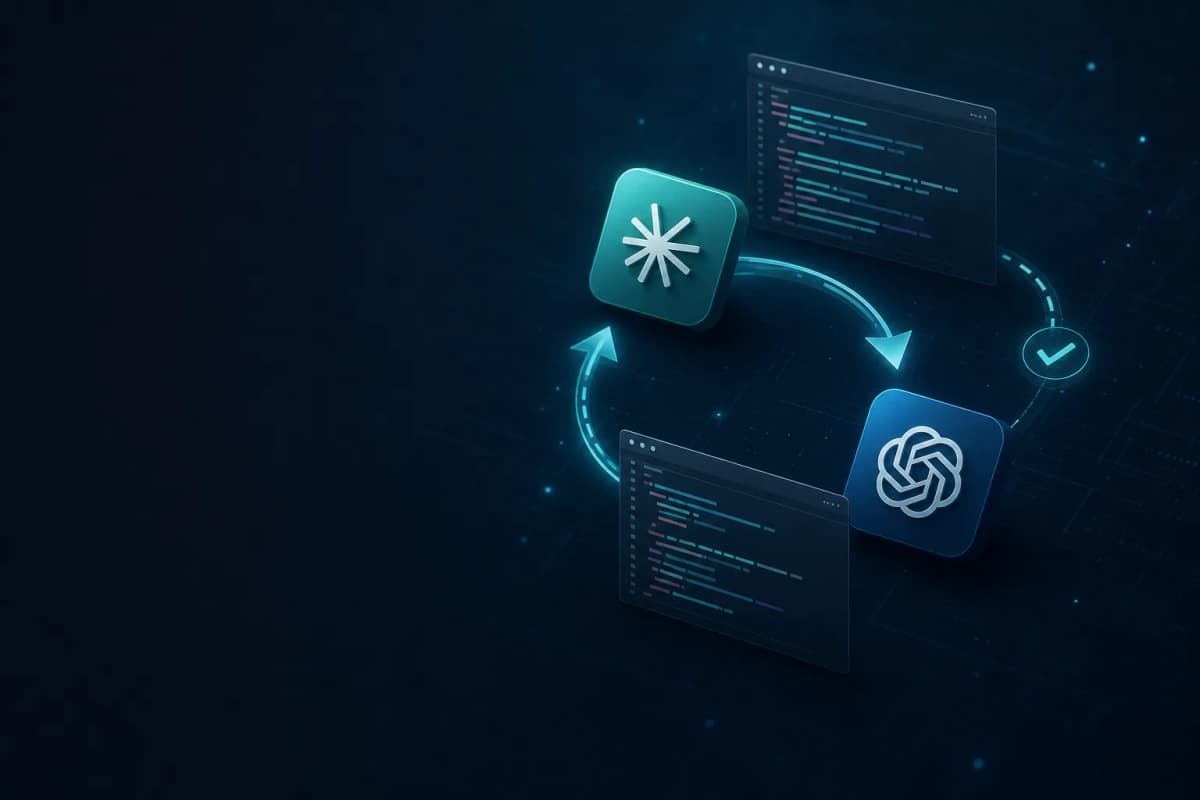
My setup uses two AI agents with separate jobs. The first builds documentation from the actual code. The second cleans up the vault so it stays organized over time. This split is what makes obsidian ai documentation work at scale.
The Builder adds new knowledge. The Cleaner prevents the vault from turning into a pile of overlapping notes. I do not rely on a single large prompt to handle everything, because that usually creates noise and inconsistency. Instead, I keep each agent focused on one job.
This is similar to the way I build automation in my other projects: one process creates, another process validates. That pattern keeps output stable.
Agent 1: The Documentation Builder
The Builder scans the codebase, finds the highest-value undocumented area, and writes a new note about it. I designed it to be concrete, not creative. It looks at real files, real modules, and real dependencies before it writes anything.
The Vault Structure
I force the vault into a fixed folder structure so the agent always knows where each type of note belongs. That structure keeps obsidian ai documentation predictable and scalable.
00_Start/ — index and onboarding01_Architecture/ — system diagrams and decisions02_Frontend/ — storefronts, components, state03_Backend/ — modules, services, business logic04_APIs/ — endpoints, contracts, auth05_Data/ — schema, migrations, queries06_Integrations/ — third-party services and webhooks07_Operations/ — deployment, monitoring, runbooks08_Decisions/ — architecture decision records09_Backlog/ — documentation gaps and priorities99_Coordination/ — handoff notes and terminology guideIf the vault does not exist, the Builder bootstraps it. If it already exists, the agent reads the current state first. That prevents it from creating duplicate structures or ignoring existing work.
What Every Note Must Contain
Each note follows the same template. I keep it strict because structured output is easier to maintain and easier to search later.
That Open questions section matters more than people expect. It stops the agent from pretending uncertainty is certainty. In my experience, that single rule improves trust in the whole documentation system.
The Cleaner Keeps Obsidian AI Documentation Usable
The Cleaner exists because even good documentation becomes messy over time. New notes overlap with old ones. Terms drift. Sections get scattered across architecture, API, and integration pages. obsidian ai documentation only stays useful if you keep consolidating.
The Cleaner scans for duplicates, finds the best canonical note, and merges useful content into it. Then it replaces scattered copies with short references and wikilinks. That reduces confusion and makes the vault easier to navigate.
I also use a hard rule for backend modules: each module gets one canonical file in 03_Backend/Modules/. Everything else should point back to it. That one rule eliminated a lot of repeated explanations in my own system.
How the Cleaner Protects Quality
For trust and consistency, I also keep terminology aligned with a single guide. That way, the Builder and Cleaner do not fight each other. The result is a vault that improves instead of decaying.
The Workflow I Use in Production
Here is the practical rhythm I follow. I run the Builder when I want fresh coverage from the codebase. Then I run the Cleaner after a few Builder cycles so the structure stays clean. That workflow makes obsidian ai documentation feel like a living system instead of a manual task.
On a typical week, the Builder might document a new payment integration on Monday. Later in the week, it might write up the order fulfillment flow or a backend service that changed after a refactor. When enough material accumulates, the Cleaner consolidates overlaps and updates the canonical notes.
This is the key point: the system does not depend on memory. It depends on inspection. That is a huge difference when you are shipping fast.
My Weekly Loop
Results After Six Months
After six months, the system produced a clear result: the documentation became usable at scale. I ended up with 200+ structured notes covering architecture, modules, APIs, data flows, integrations, and operations. More importantly, the vault stopped drifting.
I also saw practical gains in onboarding. New developers could follow the notes, trace relationships, and understand the system faster. That reduced interruptions and made it easier to keep knowledge inside the team.
According to Obsidian’s canvas and graph ecosystem, connected notes work best when they stay linked and structured. My experience matches that. The stronger the structure, the less time I spend explaining the same system twice.
What Changed Most
How You Can Build a Similar System
If you want your own version of obsidian ai documentation, start small and make the structure strict. Do not try to document everything at once. Pick one code area, one folder system, and one terminology guide first.
I recommend this order because it keeps the AI output grounded. When the agent has clear boundaries, it produces cleaner documentation and fewer false assumptions. That is the difference between useful automation and noisy automation.
My Recommended Setup
Why This Approach Works
This works because it treats documentation as a system. It combines structure, automation, and review. In contrast, traditional docs depend on people remembering to update pages after every change.
That is why I trust this setup in production. It gives me speed without sacrificing accuracy. It also gives me a clean knowledge base that AI agents can improve over time instead of damaging it.
If you are building with AI, Obsidian, or both, this approach will save you time. More importantly, it will help your team trust the documentation again. That trust is what makes obsidian ai documentation worth building in the first place.
Conclusion
obsidian ai documentation works when you connect AI agents to real code, keep the vault structured, and clean up regularly. In my experience, the biggest wins come from clear roles, strict templates, and honest uncertainty handling.
The main takeaways are simple:
If you want better documentation with less manual work, start with this system and adapt it to your own stack.