You bounce a master. It sounds huge in your DAW. You put it on Spotify and it comes back quieter, and a little crunchy on the loud parts. What happened? Two things you couldn't see: the platform turned your loudness down to its target, and the peaks you trusted weren't the *real* peaks — the true peak the platform actually sees after encoding.
That gap is exactly what this release closes. I just shipped four new modules in Mix Analyzer, taking the analysis pipeline from 17 to 21 modules. All of it is free on every web analysis. No new pricing, no new infrastructure — built on the audio libraries the tool already runs.
Here's what landed:
Here's why each piece matters.
Loudness & Mastering: True Peak, LUFS and streaming targets
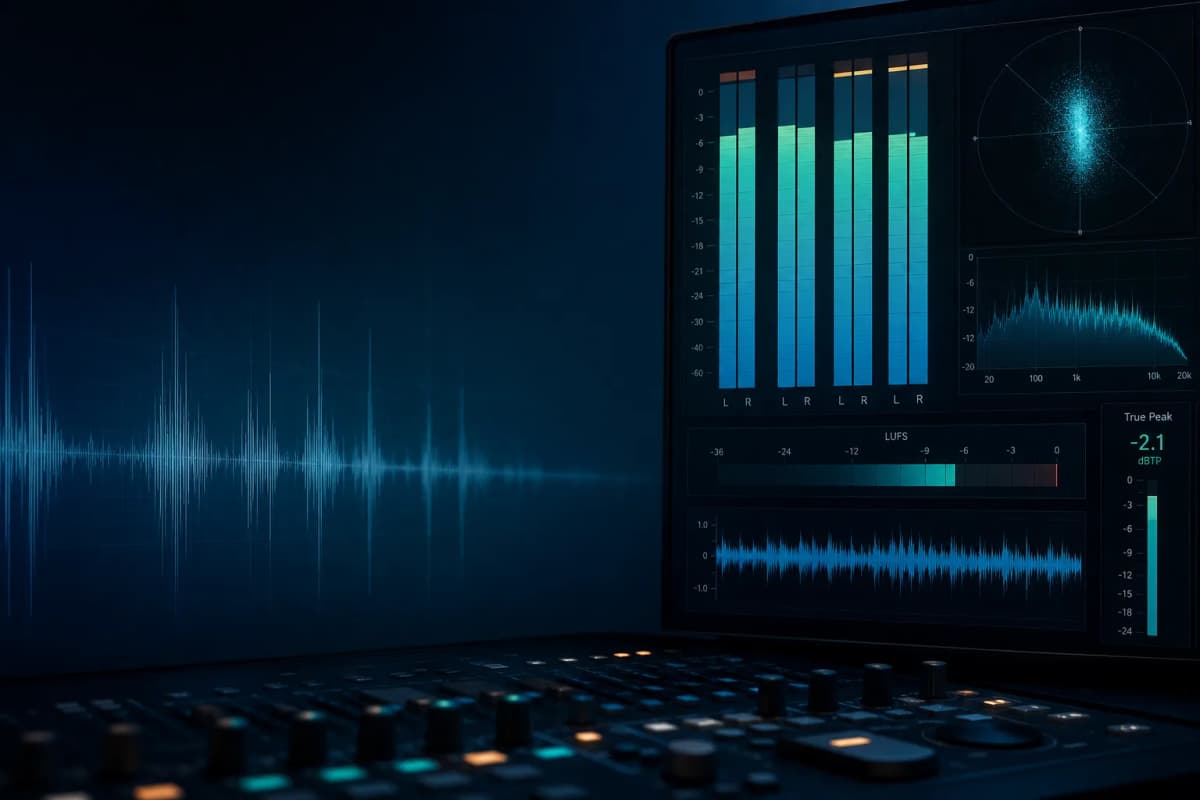
This is the big one. Mix Analyzer now shows Integrated Loudness (LUFS), Loudness Range (LRA), and True Peak in dBTP — measured with 4× oversampling so it catches the inter-sample peaks that only appear *after* lossy encoding. Sample peak alone lies to you; a track that reads −0.1 dBFS in your DAW can clip once it's an AAC stream. In my experience, that's the single most common reason a master that sounded clean in the room comes back crunchy on streaming.
The part I'm happiest with is the streaming-target panel. It tells you, per platform, exactly how much Spotify, Apple Music, YouTube, Tidal and Amazon will turn your track up or down, and whether your peaks clear each platform's true-peak ceiling.
| Platform | Target loudness | True-peak ceiling |
|---|---|---|
| --- | --- | --- |
| Spotify | −14 LUFS | −1 dBTP |
| Apple Music | −16 LUFS | −1 dBTP |
| YouTube | −14 LUFS | −1 dBTP |
| Tidal | −14 LUFS | −1 dBTP |
| Amazon Music | −14 LUFS | −2 dBTP |
| Club / CD master | −9 LUFS | −0.3 dBTP |
On top of that it flags hard clipping (count, percentage, longest consecutive run) and DC offset, and draws a loudness-over-time curve so you can see where the level actually lives across the track. If you're chasing that −1 dBTP ceiling, the limiter you reach for matters — I went deep on that in the best limiter plugins for 2026→.
Noise & Artifacts
Cheap interfaces, bad grounding and sloppy gain staging leave a noise floor, 50/60 Hz mains hum, and high-frequency hiss. Listeners feel it even when they can't name it — the mix just sounds a little less expensive than it should.
The module reports the noise floor in dBFS, tells you whether there's mains hum and at which frequency (which usually points straight at the cause), and measures hiss in the 8–16 kHz band.
Source Quality
A surprising number of "masters" start from an MP3 or an upscaled file. If there's a hard spectral brick-wall around 16 kHz, you're polishing a degraded source — and no plugin chain fixes that. The module detects lossy encoding from the spectral cutoff and estimates effective bit depth from the noise floor, so you know to go back and re-export from the real master before you waste another evening on EQ.
I deliberately tuned this conservatively: a cutoff below 13 kHz gets called "limited HF content," not lossy, so bass-heavy or narrowband mixes don't trigger false positives.
Reference Match
The question every mix raises: *does this sit where a pro release in my genre sits?* Reference Match compares your tonal balance and loudness against a built-in genre target curve — pop, rock, hip-hop, electronic, acoustic, jazz, classical, metal, R&B — and shows it as a bar chart overlaying your mix against the target across seven frequency bands, plus how your loudness compares to the genre norm.
Three things that were already there
I also surfaced three metrics the analyzer was already computing internally but never displayed: LUFS/LRA in the Dynamics tab, tempo (BPM) as a hero chip, and a sibilance read in the Frequency tab. They were free wins sitting in the pipeline — it would have been silly to keep hiding them.
A note on honesty
Because it matters, and because over-claiming is how analysis tools lose trust: the bit-depth and codec calls are *estimates* from the audio itself, not container metadata. The loudness-over-time graph is an RMS level envelope, labeled as such — not gated momentary LUFS. And Reference Match compares against genre archetype curves, not a specific commercial track. Uploading your own reference for a true A/B is the next thing on the list, along with optional stem separation.
The new modules are also informational — they don't move the headline mix score, so historical scores stay stable. They tell you whether the master is release-ready; they don't quietly re-grade your old uploads.
Try it
Upload a track and check the new tabs — it's free. If you're assembling a processing chain to act on what you find, here are my top VST picks by category→. And if you're building something, the same 21 modules are available through the API, each as an optional 5-token module.
I tend to ship these in batches and write them up after the fact, once the tests are green and it's actually live. This one was 2,681 lines and 29 new tests across four DSP modules — and it's already running in production. That's the part I care about: not "we're working on loudness analysis," but "open the Loudness tab right now and it's there."