Steinberg Re-Releases Five Classic VST Plugins for Free
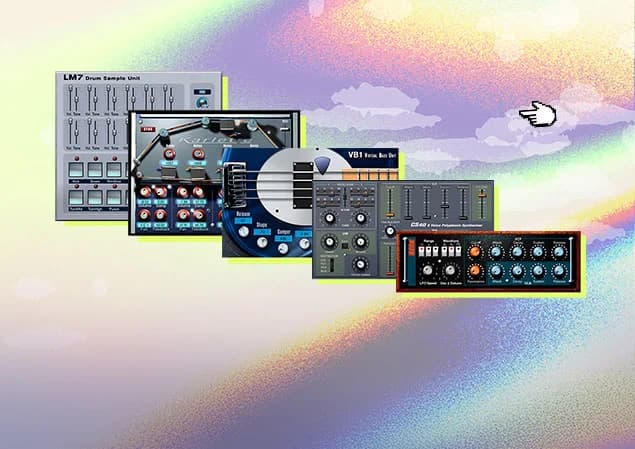
Steinberg has opened the archive. To mark 30 years of VST, the company has brought five early plugins back as a free VST plugins collection called Steinberg Classics: Neon, VB-1, CS-40, LM7, and Karlette.
This is not a modern mega-bundle with thousands of presets and a browser that needs its own tutorial. The appeal is smaller. These instruments and effects capture the period when software plugins were still proving that a computer could replace part of a studio setup. Steinberg's Steinberg Classics Collection page frames the collection as a way to rediscover the roots of music production.
I like the timing. Free plugin releases usually compete by adding more features. This one makes a different offer: five focused tools, recognizable sounds, and a direct connection to the early VST era.
What free VST plugins are included in Steinberg Classics?
The collection covers a useful spread of production jobs. Neon and CS-40 handle synthesis. VB-1 focuses on electric bass. LM7 gives you a sample-based drum machine. Karlette supplies tape-delay color.
That range makes the bundle more practical than a nostalgia-only release. You can open one of the plugins in a new project and use it immediately for a bass line, a pad, a lead, a drum part, or a delay send.
Neon: an early software synthesizer
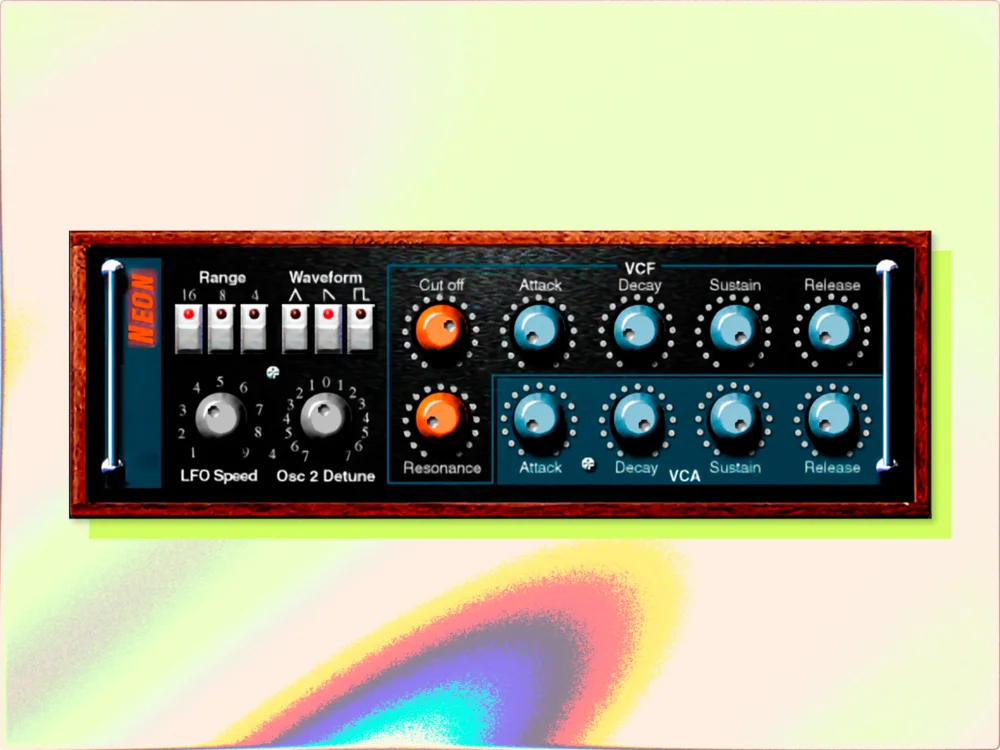
Neon arrived with Cubase VST 3.7 in 1999. Steinberg describes it as one of the first polyphonic software synthesizers and highlights its subtractive architecture and distinctive wood-panel interface.
The important detail is the limitation. Neon is a compact two-oscillator instrument, so it does not invite endless preset surfing. Start with the oscillator balance, filter movement, and envelope shape. It is a good fit for simple basses, short sequences, and deliberately restrained pads.
MusicRadar calls Neon the first VST instrument ever released. That claim matters historically, but the plugin does not need a museum label to be useful. A narrow synth can be a productive choice when a modern instrument gives you too many directions at once.
VB-1: a virtual bass instrument
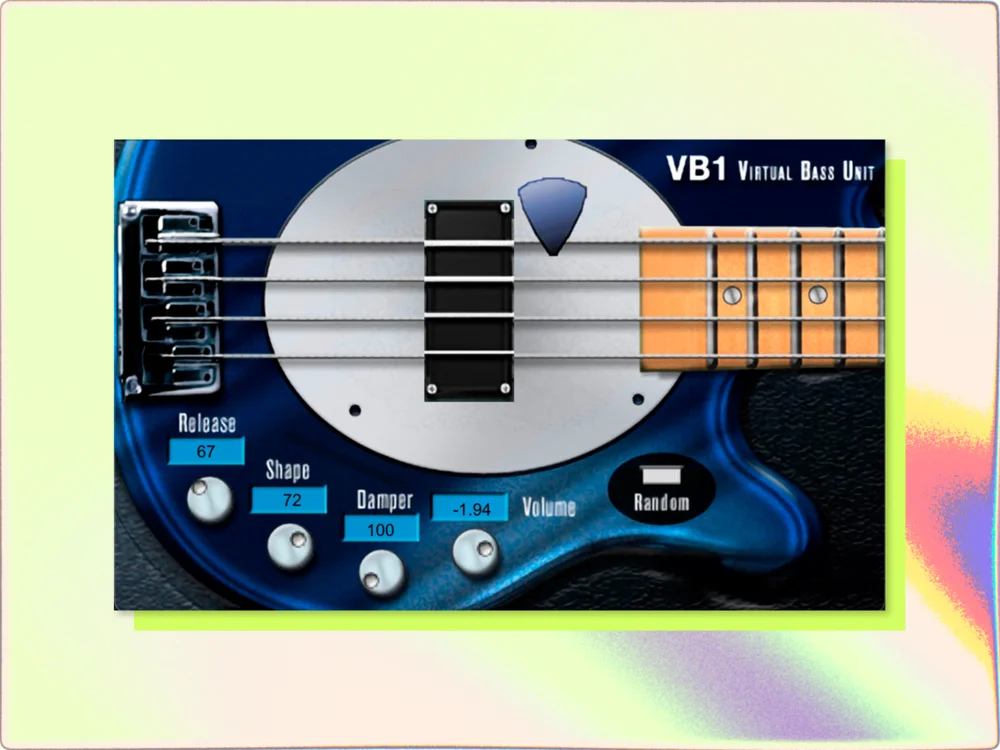
VB-1 belongs to the first generation of virtual bass instruments. Steinberg says it provides electric-bass tones with quick controls for pickup and pick position.
A bass plugin has a different job from a synth. The goal is usually not to create an unusual texture. It is to establish a part that locks with the drums and leaves room for the vocal or main instrument. VB-1's focused design suits that role.
I would try it on demos, electronic tracks, and arrangements where the bass should feel like a defined instrument rather than a low-frequency layer. You can always replace it later. A free, fast sketching tool still earns its place if it helps the idea move forward.
CS-40: vintage polysynth character
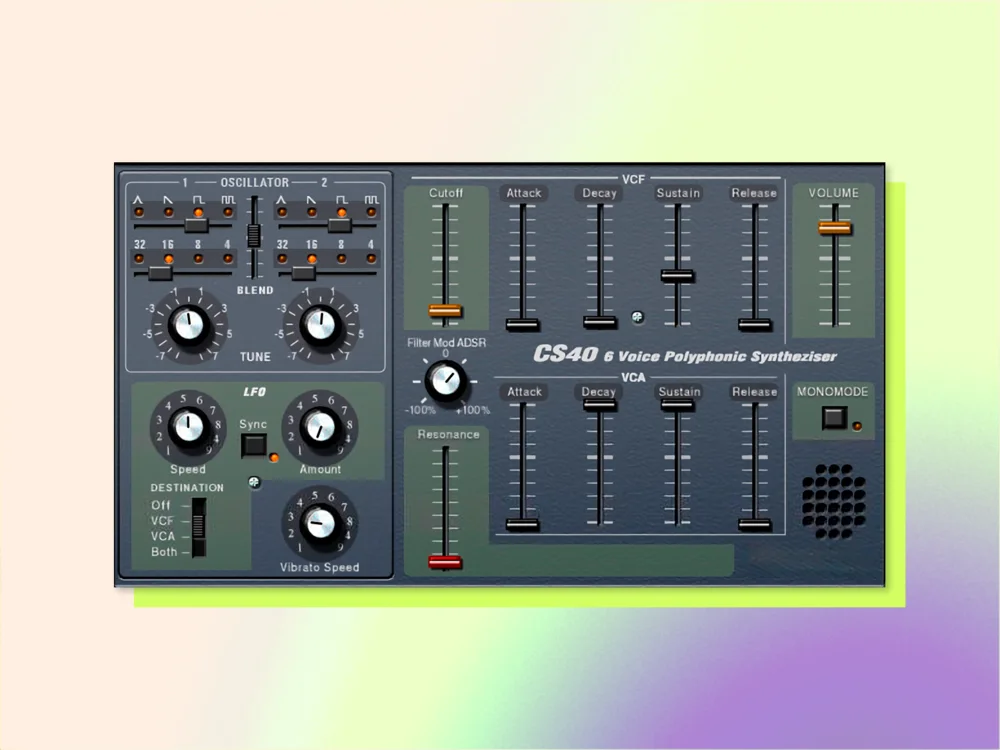
CS-40 came from the early 2000s and brings a classic subtractive-synth voice to the collection. Steinberg positions it for warm pads, expressive sounds, and cutting leads.
That description is broad, but the use case is clear. CS-40 is the instrument I would reach for when a track needs a recognizable vintage layer without turning the whole production into a hardware emulation exercise. Keep the first patch simple, automate a filter or envelope, and let the arrangement create the movement.
Its age can also be useful. Older instruments often force you to make a sound work with fewer modulation routes and fewer effects. That constraint can expose whether the musical part itself is strong.
LM7: a sample-based drum machine
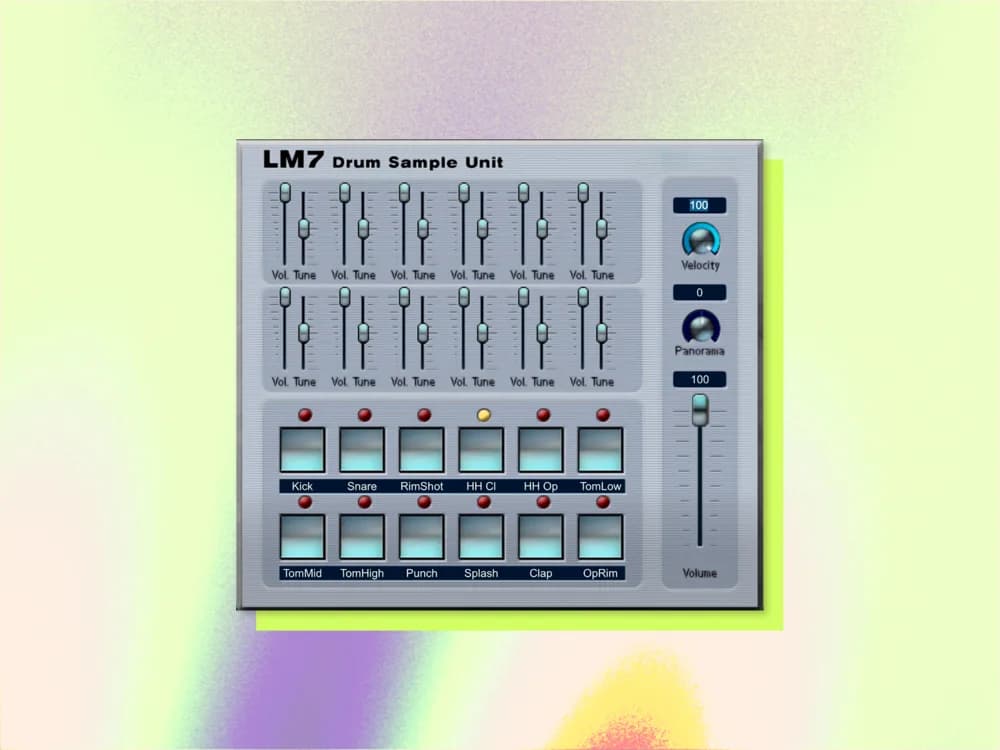
LM7 is the rhythm section of the bundle. MusicRadar describes it as a sample-based drum machine, which places it in a different category from the synthesizers and Karlette.
Use LM7 for a quick pattern, a rough arrangement, or a deliberately dated drum color. It is especially useful during writing because it gets a groove on the timeline without demanding a complete drum-production decision. Once the song works, you can replace or layer the sounds.
That writing-stage role is easy to underestimate. A basic drum machine can help you judge an arrangement before you spend time on transient shaping, sample selection, and bus processing.
Karlette: a classic tape delay
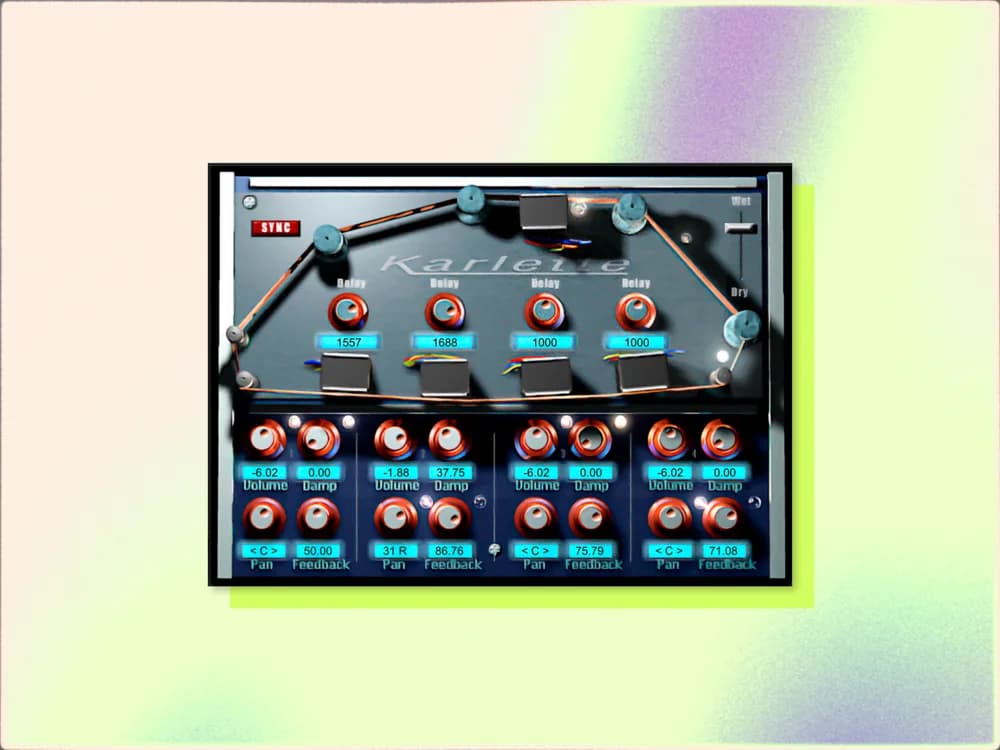
Karlette closes the collection with an effect rather than an instrument. Steinberg's bundle description and MusicRadar's overview identify it as a classic tape-delay plugin.
Delay is where a small control set can become an advantage. Put Karlette on a send, filter the repeats, and use it to push a vocal phrase, synth stab, or guitar part behind the dry signal. The point is not to reproduce a specific hardware unit. The point is to create space and repetition with a little movement.
Karlette may be the easiest plugin in the pack to use outside a retro production. Tape-style repeats still work in modern pop, electronic music, ambient tracks, and sound design. The history is a bonus; the feedback path is the useful part.
What formats and systems does it support?
The current collection targets modern macOS and Windows systems and is available in VST3 format. MusicRadar reports that the release does not include Audio Units. That distinction matters for Mac users: Logic Pro is built around AU plugins, while Cubase, Ableton Live, REAPER, Studio One, and other hosts may support VST3 depending on the setup.
Check your DAW's plugin-format support before installing. Steinberg's official page is the right place to confirm the current download and installation details because those requirements can change after the initial release.
Is this better than a modern free synth?
No. That is not the useful comparison.
A current free synth will often offer deeper modulation, better scaling, more presets, and broader format support. Steinberg Classics offers a different workflow. Each plugin gives you a small sound-making surface with a clear historical identity.
I would use the collection in three ways:
If you already keep a large plugin library, the bundle will not replace it. It may still be worth downloading because free and focused are a useful combination.
For more free software ideas, see my guide to the 10 best free VST plugins for music production→. If you are comparing classic simplicity with newer saturation tools, my Grit Blender first look→ covers a very different kind of plugin workflow.
My take
Steinberg Classics is a smart free release because it gives the plugins room to speak for themselves. Neon has the strongest historical story. VB-1 and LM7 are useful sketching tools. CS-40 can supply a compact vintage synth layer. Karlette is the easiest one to keep using across modern sessions.
The collection will not impress you with feature counts. It may do something more valuable: get you writing before you start comparing 400 presets.
Download it from Steinberg's official Classics Collection page, check the VST3 requirement, and keep the five plugins in a small “fast ideas” folder. That is probably where they will make the most sense.