An AI button does not make a better DAW. Less time hunting for sounds, setting up tracks and rescuing recordings might. That is why Logic Pro 13 has my attention: I care more about the work between the musical decisions than another impressive demo.
This is my analysis of the announcement, not a hands-on test. Checked October 28, 2026: Apple schedules its next Creator Studio update for November. Synth Anatomy calls it Logic Pro 13; Apple's published Mac release notes still lead with 12.4. The announced features are firmer evidence than the version-number debate.
My take: Logic looks increasingly convincing as one connected production environment. Calling it years ahead of every other DAW would ignore some very capable competitors.
Logic Pro 13 new features: what Apple announced
The confirmed headline changes are:
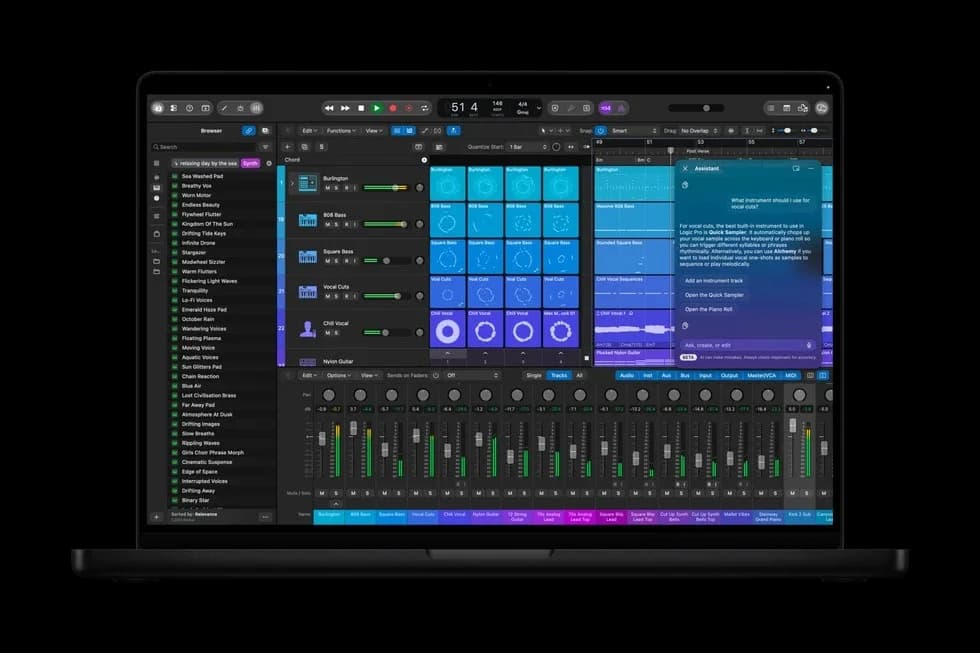
The assistant beta has a narrower requirement than the DAW: an Apple Intelligence-capable Mac, macOS 27 or later, and U.S. English. Check that distinction before planning an upgrade around it.
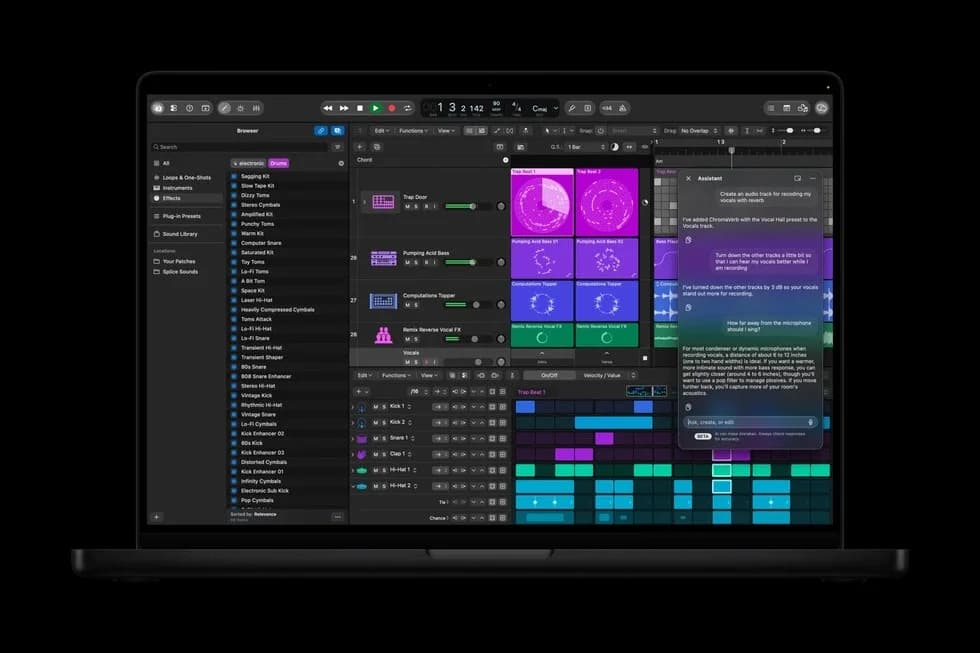
Apple's announcement image, not my session. Credit: Apple.
The assistant is interesting if its actions stay understandable
I want help with setup: making a track, finding a suitable starting point, explaining an unfamiliar operation. I still want to hear the decision that changes the music.
A useful assistant should make its actions easy to inspect. If I ask for a vocal setup, I want to see the routing and processing rather than accept a mysterious result. I would check undo, project recall and whether its explanation matches the actual settings before trusting it in a working session.
There is also an important language detail. Apple's current announcement says Apple-built and third-party models. Early reporting names OpenAI. I would not turn that into a claim that every operation uses ChatGPT, runs locally or sends the same data to the cloud.
The difference between configuring a vocal track and generating a singer matters too. Apple's example concerns track setup. It does not establish a text-to-vocal-generation feature.
The Browser may matter more than the chatbot
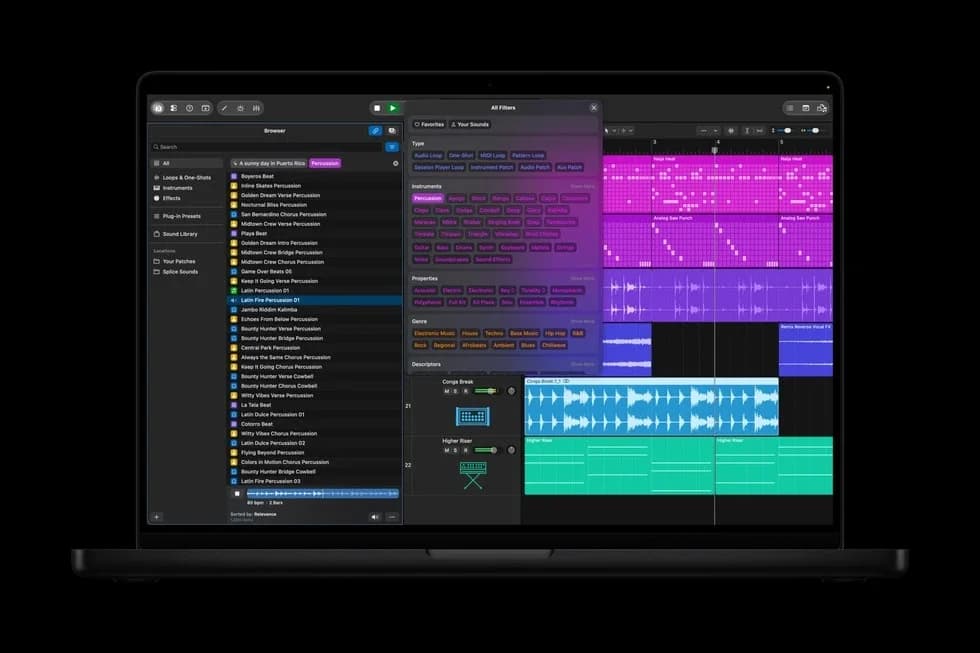
Apple's announced Mac Browser. Credit: Apple. This is a preview image, not a released-version test.
The attraction for me is finding an appropriate sound without turning a writing session into file management. I would rather audition a few useful candidates than scan hundreds of filenames.
My first test would use my own untidy sample folders, not a neatly prepared demonstration library. I would compare searches for musical role, texture and rhythm, then check whether matching sounds still make sense once the arrangement gets busy.
A browser can retrieve a plausible sample without making the musical choice for me. That is the kind of assistance I find easier to welcome: less searching, with the selection still mine.
Drum separation needs a listening test, not a screenshot score
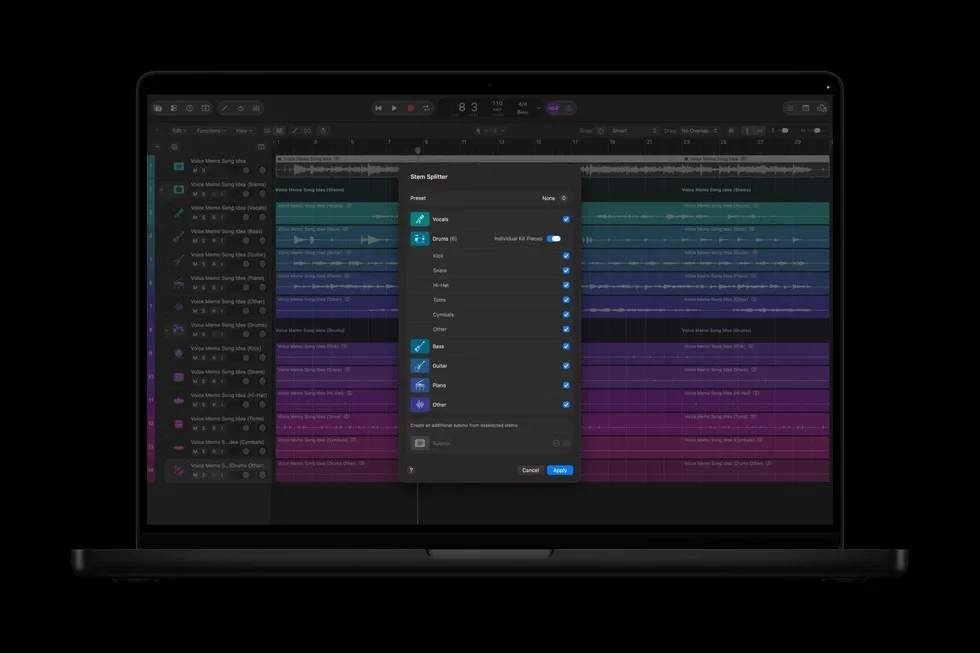
Apple's updated Stem Splitter preview. Credit: Apple. No separation-quality benchmark is implied.
I can see the appeal for old recordings, edits and remix ideas. The real question is how well the separation survives the material I give it.
I would listen for cymbal smearing, missing attack and material leaking into the wrong output. A separated part that sounds strange in solo may still help inside a mix. Equally, a clean-looking waveform can hide unpleasant artifacts.
I have not run a matched listening comparison of this update against the alternatives. There is no quality ranking in this article pretending otherwise.
Are there new Logic plug-ins, or new ways to use the DAW?
The announcement centres on workflow tools and sound content. It is not a verified list of newly launched synths and effects. I would not label familiar stock processors as new Logic Pro 13 plug-ins to make the update look bigger.
Apple's current Logic overview already lists ChromaGlow, Mastering Assistant, Session Players, Chord ID and other intelligent tools. These belong in the discussion as the existing foundation, not newly discovered additions.
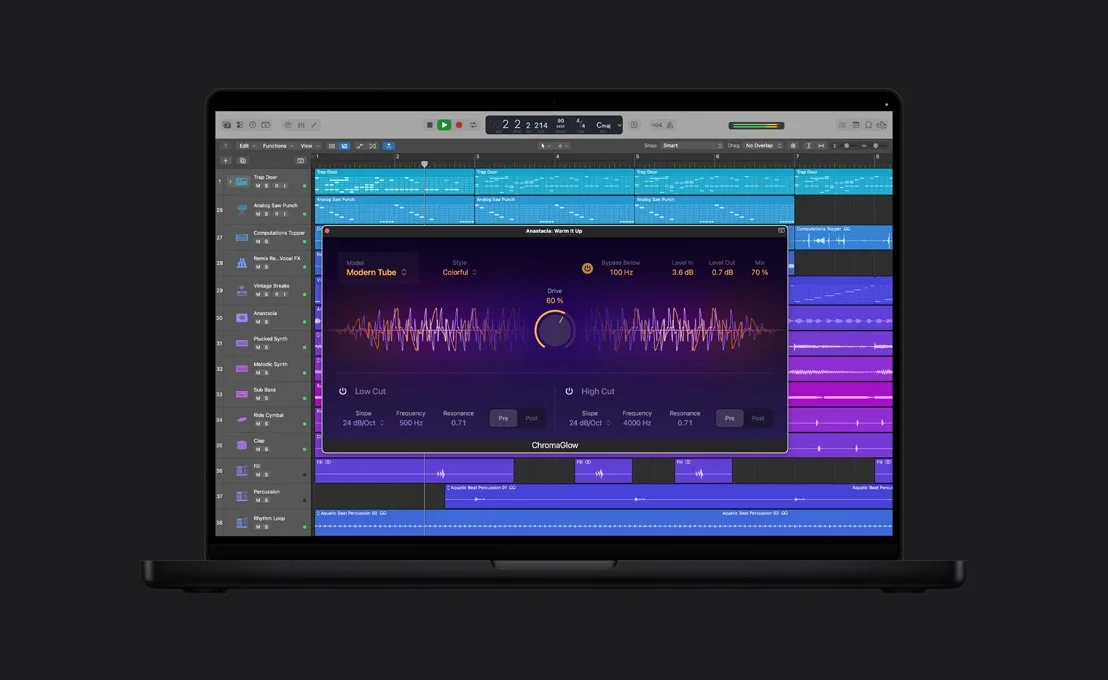
ChromaGlow, an existing Logic processor. Credit: Apple. Included for context, not presented as a new version-13 plug-in.
For me, saturation is still about placement and restraint. I would rather use a little colour where a part needs it than expect an AI label to tell me how much distortion belongs on a vocal or a bus.
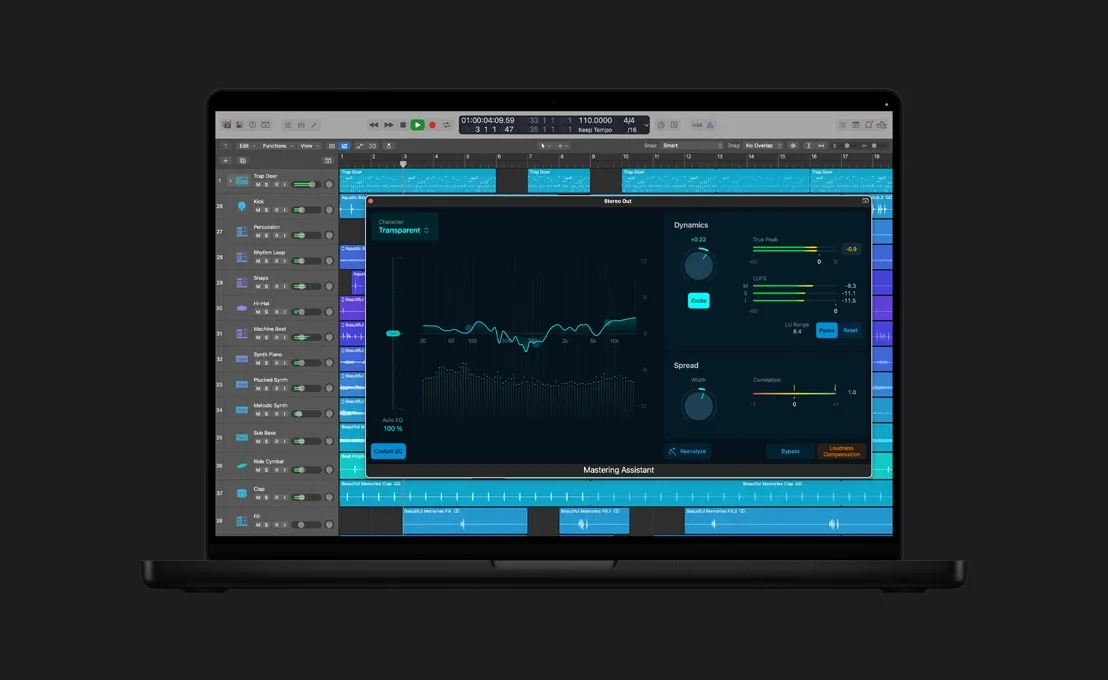
Mastering Assistant, also an existing tool. Credit: Apple. This is not a measurement from my mix.
An assistant's suggested master remains a starting point to evaluate. I would level-match it against the unprocessed mix and check the low end, transients and vocal balance. Louder should not win by default. My clipping vs limiting guide covers the distinction between different loudness tools.
Logic Pro 13 vs Ableton, FL Studio, Cubase and Waveform
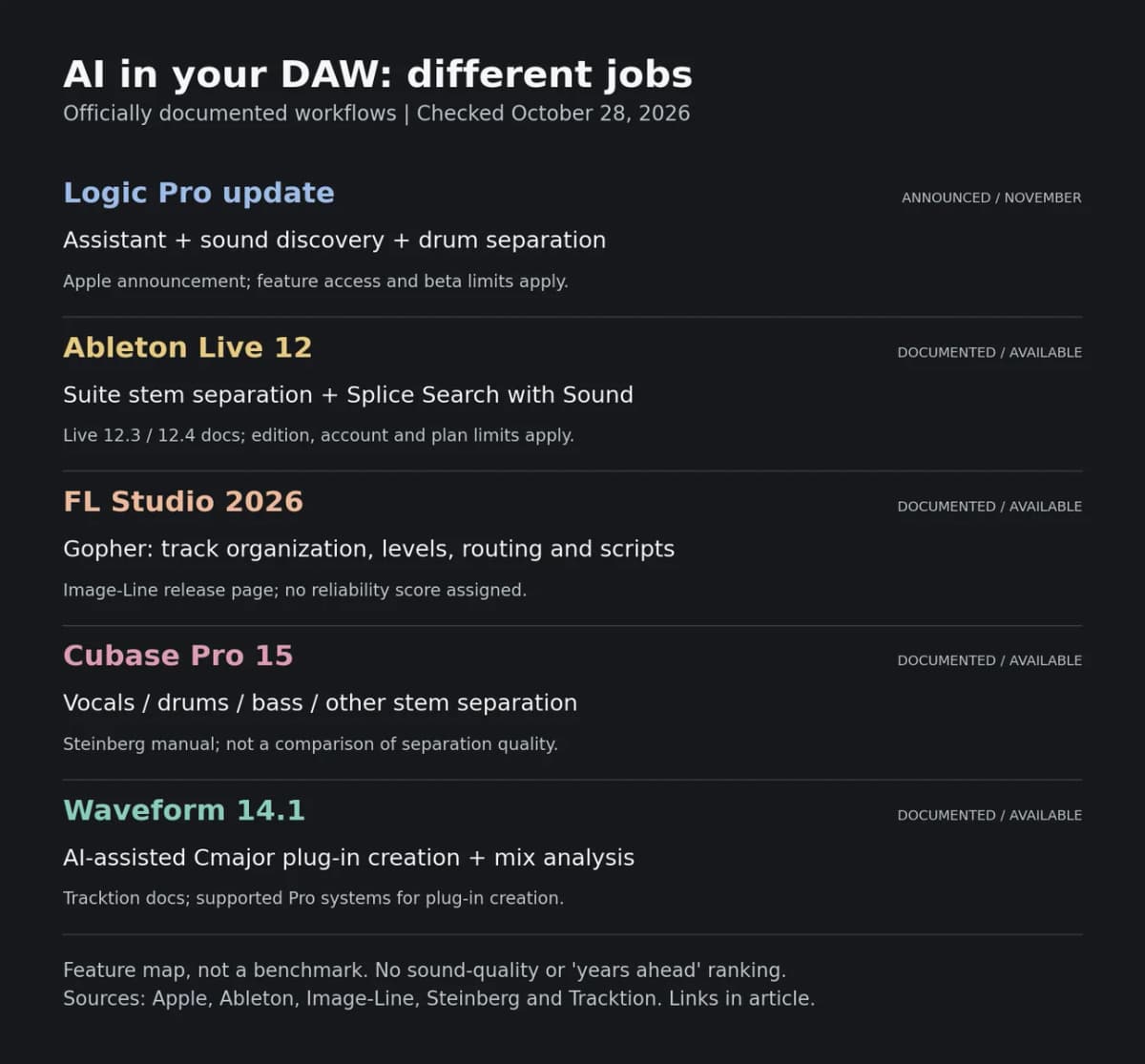
Editorial comparison based on the official sources linked below, checked October 28, 2026. Logic's announced update is not treated as already shipping. Edition and hardware restrictions apply. This is a feature map, not a benchmark.
Ableton Live: sound search is already a competitive category
Ableton's Live 12.3 release announcement documents stem separation in Suite and Splice integration. Its Splice FAQ explains Search with Sound and distinguishes free access from paid sample access.
Live 12.4 also improves the separation workflow: it can process the audible portion or a selected Arrangement section, and merge selected stems into one track.
That means smart sound discovery and stem splitting are not exclusive reasons to choose Logic. I would compare the steps from finding material to editing it in the arrangement, rather than count AI labels. A familiar workflow can be worth more than a feature with a bigger launch headline.
FL Studio 2026: Gopher already takes action
Image-Line's FL Studio 2026 page describes Gopher organizing tracks, setting levels, routing audio and generating Piano roll or VFX scripts. The same release introduces a rebuilt FLEX and the Transmitter effect, with edition restrictions for the latter.
Logic is entering an existing conversation about assistants that operate inside a project. The useful comparison is how reliably an assistant executes a request, how clearly it explains the change, and whether I can undo it.
I would ask both assistants to perform the same bounded setup task. A long, confident answer should not score more highly than a correct, inspectable result.
Cubase 15: native stem tools are already there
The Steinberg manual for Cubase Pro 15 Stem Separation documents vocals, drums, bass and other outputs, plus combined-stem options.
I would not judge a DAW by stem splitting alone. Recording, MIDI editing, arrangement and delivery still make up much of a production day. The better purchase depends on those jobs as well as the new assistant.
Waveform 14.1: the strongest counterexample to "Logic is years ahead"
Tracktion's own assistant page describes a particularly ambitious workflow: the assistant writes Cmajor DSP, compiles it inside Waveform and fixes build errors before loading the resulting plug-in. The vendor also documents mix measurements and MIDI generation. Custom plug-in creation requires a supported Waveform Pro system.
That goes beyond asking a help bot where a menu lives. It is also a different proposition from a polished collection of stock instruments.
I would treat a generated effect like software that needs checking. Useful questions include recall, automation, CPU load, stability and unexpected output levels. Generating a working interface does not prove that the processor sounds good or behaves safely on every input.
What other producers and writers are saying
The early reaction is mixed, which is more useful than a unanimous-looking launch roundup.
Synth Anatomy's first impression highlights the browser. Its comment section includes both appreciation for ongoing updates and resistance to AI in a DAW. One exchange also challenges the idea that vocal-track setup means vocal generation. These are individual reactions, not a representative poll.
Gearnews' German coverage is more restrained about the scale of the changes, questions the subscription emphasis and points to Waveform's plug-in generation as an area where Apple has competition.
The GarageBand Guide focuses on the practical appeal of the browser while flagging unanswered questions about processing location and access for standalone purchasers.
I share the interest in less repetitive work. I also think the skepticism deserves a practical answer: show the action, make it reversible, explain the data boundary and let the producer decide whether it helps.
Pricing, compatibility and the questions I would check first
Apple's Creator Studio page lists U.S. subscription pricing of $12.99 per month or $129 per year. Logic also remains available as a one-time Mac purchase; the October announcement lists $199.99 U.S. These are U.S. prices, not a conversion into Swedish checkout prices.
Do not assume every newly announced service or beta has identical access across subscription and standalone versions. The entitlement detail needs checking when the update reaches the store.
Before moving a working setup, I would:
Those checks matter more to me than winning a version-number argument.
My take: ahead in integration is not ahead at everything
Logic Pro 13 looks promising because the proposed improvements target several interruptions in a production session. I am most interested in whether the browser and assistant leave me with more attention for the arrangement and the sound.
I would not call it years ahead of Ableton, FL Studio, Cubase or Waveform. Their documented tools make that claim too broad. Logic's potential advantage is how coherently the parts work together, and that is something to test in actual sessions.
For a wider workflow comparison, see my DAW selection guide. I would choose the environment that helps me finish music, then judge the AI by the work it removes without taking away control.