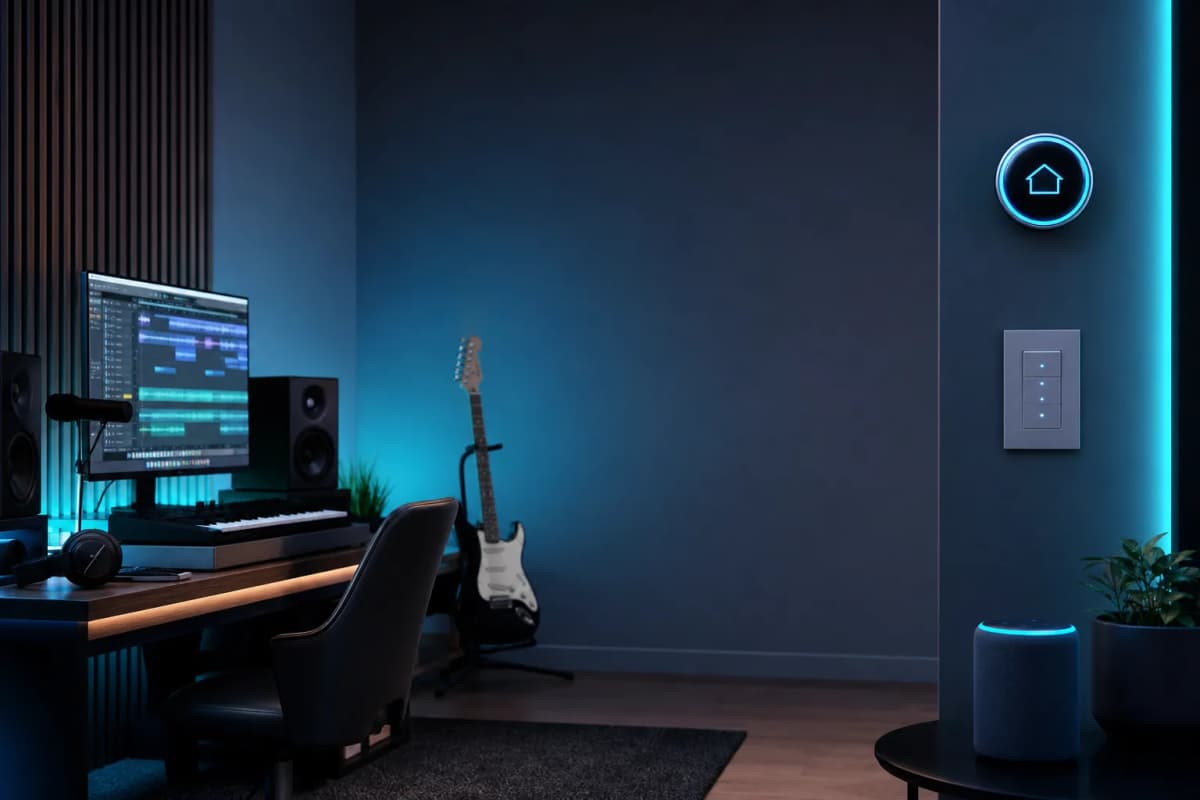
If you want home automation tips for musicians, start with the studio, not the living room. I use automation to switch on lights, power gear, set focus modes, protect equipment, and shave minutes off session starts in my Gothenburg home studio.
This isn’t about flashy smart-home tricks. It’s about killing the little delays that break creative momentum. In my own workflow with Logic Pro, an Apollo Twin X Quad, and Genelec 8351A monitors, the best automations save time every single week.
Why musicians need home automation beyond convenience
The real problems it solves in a studio workflow
A music session loses energy in tiny moments. You walk into the room, flip three switches, wait for the computer, open the DAW, adjust lights, and check the monitors. That may take only two minutes, but it snaps you out of the zone.
Home studio automation handles the dull parts of setup. It also cuts the risk of leaving gear on, forgetting a light overnight, or missing a humidity issue that can damage instruments and electronics.
In practice, smart studio automation helps with three things:
When automation helps creative flow vs. when it becomes distracting
Automation helps when it removes repetitive steps. It hurts when it makes you think about the automation itself. I want a session-start routine to feel invisible. I don’t want to troubleshoot a wall of apps when I should be recording.
That’s why I keep the important actions simple: lights, power, and room status. Anything that can fail should also have a manual fallback. Overcomplicate the room and you’ll stop trusting it.
The best home automation use cases for musicians
One-tap studio start: lights, monitors, computer, DAW, and camera
The most useful automation in a studio is a one-tap start routine. Press one button and the room wakes up in the right order. Lights come on first. Then the computer, interface, and monitors are ready. Then I open Logic Pro and get to work.
This matters more than people expect. A clean start routine makes it easier to begin a writing session, a mix, or a quick edit without procrastinating.
A practical studio start can include:
I also like keeping this routine separate from personal home routines. The studio should behave like a workstation, not a smart apartment.
For more studio workflow ideas, I have also written about home studio automation ideas for music producers→.
Focus mode for writing and mixing sessions
A focus mode should make your room quieter and simpler. I use it when I’m writing music, editing dialogue, or making mix decisions that need concentration. The goal is to cut visual noise and limit interruptions.
My focus mode usually dims the lights, silences nonessential notifications, and sets a predictable playback environment. If I’m in a long mix session, I want the room to feel stable from the first reference track to the last export.
This is also where a small productivity trigger helps. I like routines that start with one action and then chain into a full workflow. I described one of those in my favorite home studio workflow hack→.
End-of-session shutdown and gear safety checks
Shutdown automation is underrated. It saves electricity, but more importantly, it prevents mistakes. When I finish a session, I want the room to shut down in a known order so I don’t leave monitors, interfaces, or lights running overnight.
A solid shutdown routine should mute audio before power cuts, turn off monitors after the interface is safe, shut down the computer, and turn off studio lights. It can also send a confirmation notification if something stayed on.
If you use tube gear, vintage hardware, or a setup that runs warm, this step matters even more. Automation can’t replace common sense, but it can cut human error at the end of a long day.
Environmental alerts: humidity, temperature, water, power, and room safety
This is where home automation moves from convenience into protection. I care about room alerts because gear and instruments cost real money. A water leak, power issue, or extreme humidity swing can ruin a week fast.
Black Ghost Audio described a smart water sensor that beeps and sends a phone alert when it detects moisture on the ground. That’s exactly the kind of practical warning I like in a studio: simple, immediate, useful.
For musicians, the most valuable environmental alerts are:
I don’t treat these as fancy extras. I treat them as studio insurance.
Music playback and reference-track automations
Playback automations are useful when they support the session, not when they take over the room. In a mix or mastering context, I want fast access to reference material, test playlists, and room-check playback.
A good example is a dedicated “reference mode” that lowers distraction, loads your reference playlist, and routes audio the way you expect. In broader smart-home setups, a music scene can also set lighting and speaker volume to a chosen level for late-night listening.
That matters for producers because reference listening is part of the workflow. If you spend less time searching for tracks and adjusting the room, you get to decisions faster.
Recommended smart-home stack for a home studio
What to control with voice, apps, buttons, and routines
A studio automation system works best when each control method has one job. I don’t want to use voice for everything. I want quick commands for simple actions, and I want physical control for things I touch often.
Use this split:
That keeps the room fast and predictable. It also lowers the chance that you abandon the system because it gets annoying.
Home Assistant vs Apple Home vs Alexa vs Google Home
I look at these through reliability, latency, and offline fallback, not hype.
Home Assistant is the strongest choice if you want the most control. It works well for sensor-based automations, custom routines, and local-first setups. Music Assistant 2.0 also integrates with Home Assistant, which is useful if you want players exposed to dashboards, automations, and scripts.
Apple Home is clean and easy if you already live in the Apple ecosystem. It’s good for simple scenes and Siri-based control, but I’d still keep critical studio automations easy to trigger manually.
Alexa is practical for voice control and routines. Black Ghost Audio also showed how Alexa routines can turn studio lights on and off or automate schedules. It’s approachable, but I wouldn’t build my only studio safety system around voice alone.
Google Home can work for basic scenes and speaker control. Still, I wouldn’t choose it first for a studio where I care about offline behavior and precise automations.
Which devices are actually worth buying first
Start with the devices that save time every week. Don’t buy a pile of smart gadgets before you know what the room needs.
My order would be:
If you want a practical expansion path, my home studio automation ideas for music producers→ cover more workflow examples you can adapt.
Practical automation examples musicians can copy
Example routine: start a mix session
Here is a routine I would actually use in a real mix session in my home studio.
This sequence works because it respects order. Audio gear shouldn’t wake before the interface is ready, and distractions should disappear before you start listening critically.
Example routine: late-night recording mode
Late-night recording needs a different feel. I want the room calm, not dark and awkward.
A good late-night mode can dim lights to a safe working level, keep the microphone area visible, lower monitor volume to a repeatable starting point, turn on a red or warm accent light, and silence alerts except emergencies.
That gives you enough comfort to keep recording without waking the whole house.
Example routine: leave the studio safely
A leave-the-studio routine is one of the best habits you can automate.
Mine would do this:
This routine is useful because it removes end-of-day uncertainty. You walk out knowing the room is safe.
Example routine: monitor room conditions when away
A monitoring routine should run on sensors, not memory. If I’m away from the studio, I want alerts for leaks, unusual heat, or humidity swings.
That’s especially useful in rooms with instruments, tube gear, or gear that runs warm. The goal isn’t to babysit the room. The goal is to catch problems before they get expensive.
Common mistakes musicians make with smart home automation
Over-automating the room
The biggest mistake is trying to automate every tiny action. That creates friction instead of removing it. If a routine has too many branches, you’ll stop using it.
I prefer a small number of predictable studio scenes. A few strong automations beat twenty clever ones.
Buying incompatible devices
Another mistake is mixing products that don’t work well together. That usually happens when people buy devices first and design the system later.
Pick a control platform first. Then buy devices that fit it. Otherwise you end up with apps that do one thing each and no real workflow.
Ignoring latency, reliability, and offline fallback
In a studio, latency isn’t only an audio issue. It’s also a workflow issue. If a light takes too long to respond, or a routine fails when the internet drops, you lose trust in the system.
That’s why I want local fallback, physical buttons, and simple manual overrides. If the room still works when the network is flaky, you can keep recording.
Not separating personal smart-home needs from studio needs
Your studio is not your kitchen or bedroom. It has different priorities.
A studio automation should focus on session flow, monitoring, and safety. If you mix it with family routines or casual entertainment scenes, it gets harder to maintain.
My suggested starter setup for musicians
Minimal budget setup
If you’re starting small, buy only what helps immediately. A smart plug for one gear chain and one smart bulb or light strip can already improve your workflow.
Pair that with one physical button or app routine. That gives you a real session-start and shutdown path without turning the room into a science project.
Mid-range setup for serious producers
At the mid-range level, add separate scenes for writing, mixing, and shutdown. Add leak and temperature sensors. Add a reliable hub if your current setup depends on cloud services too much.
This is the point where automation starts feeling like part of the studio instead of a gadget.
Advanced setup for a fully automated home studio
A full setup should combine local control, sensor-driven alerts, and scene-based workflows. I would keep voice available, but not essential.
That means the room still works when the internet is down, the app crashes, or you don’t want to talk to a speaker.
How to optimize a studio automation system over time
Track which automations save time
You don’t need a huge automation system. You need a useful one. Track which routines you trigger every week and which ones you forget exist.
If a routine saves you time at the start or end of sessions, keep it. If it doesn’t, remove it.
Keep only the routines you use weekly
This is one of the biggest lessons I’ve learned building systems for real work. Use beats cleverness.
I also apply that mindset in production workflows. The same discipline that helps in automation best practices for music sessions→ applies here: keep it clean, repeatable, and easy to trust.
Add safety and comfort automations before fancy ones
Start with alerts, shutdowns, and session starts. Then add comfort and convenience.
A room that protects your gear and gets you working faster is worth more than a room that can do a dozen fancy things.
Final takeaway: automate the three things you repeat most
The best home automation tips for musicians aren’t complicated. Automate your studio start, your safe shutdown, and your room monitoring first. Those three routines save time, cut mistakes, and protect your gear.
If you’re setting up a studio now, start with one smart plug, one light scene, and one button routine. Then add sensors and fallback logic only after you prove the first automations save time every week.
That’s how I build systems in my own room in Gothenburg. Small, reliable, and focused on the work.