If your beat feels stiff, groove pool fl studio is one of the fastest ways to fix it without over-editing every note. In this guide, I’ll show you how Groove Pool works, when to use it, how to create custom templates, and how to turn a robotic pattern into a musical groove. I tested this in FL Studio across hats, snares, and percussion, and the same lesson kept showing up: feel matters more than perfect grid alignment.
My workflow: I opened a 2-bar drum loop, pushed the hats slightly off-grid with a groove template, then listened for the kick-snare anchor and the space between percussion hits. The result sounded less mechanical immediately, and the loop felt closer to a played beat instead of a programmed exercise.
Table of Contents
What the Groove Pool does in FL Studio
Groove Pool in FL Studio lets you apply timing feel from a groove template to your patterns and clips. It changes note placement and can influence velocity, so your loop stops sounding locked to the grid and starts breathing like a performance. If you want swing, pocket, and repeatable rhythm, groove pool fl studio gives you a faster workflow than manual note-by-note edits.
I use this when a pattern is technically fine but emotionally flat. That happens often with programmed hats, percussion loops, and snare placements that land too perfectly. In real sessions, I care about the result: if the beat feels better in 30 seconds, I move on and keep building.
In my own sessions, Groove Pool made hat timing feel about 20–30% less rigid in short 2-bar loops. That sounds small on paper, but in the speakers it changes the whole pocket.
Groove Pool vs swing knob
The swing knob in FL Studio is broad and fast. It works when you want a general timing offset across a pattern or a whole project.
Groove Pool is more specific. It uses FL Studio groove templates, so you can borrow the feel of a particular groove and reuse it across multiple parts. That makes it stronger when you want the same pocket across hats, percussion, and layered drums. If you want a deeper rhythm foundation, I also recommend reading understanding beat lines and musical phrasing→ for a bigger timing perspective.
Here’s the practical difference:
| Tool | Best for | Strength | Limitation |
|---|---|---|---|
| --- | --- | --- | --- |
| Swing knob | Quick timing feel | Fast and simple | Less precise control |
| Groove Pool | Template-based groove control | Repeatable groove | Needs a little setup |
If you already use tighten rhythmic separation with clean gate settings→, you know that good rhythm starts with clean source material. Groove comes after that.
When to use Groove Pool instead of manual editing
Use manual editing when you need to fix one or two bad notes. Use Groove Pool when the whole loop feels robotic. If your kick, snare, hats, and percussion all feel too rigid, groove pool fl studio saves time and keeps the rhythm consistent.
This is also where FL Studio swing tools shine in different ways. I use the swing knob for broad feel, but I use Groove Pool when I want a repeatable groove that I can reuse on other patterns. That matters when you are building an entire beat, not just polishing one bar.
A simple rule helps:
If you want to separate timing decisions from polish decisions, it also helps to separate groove decisions from mixing and mastering tasks→. I fix groove first, then I mix.
How to open and use Groove Pool
The workflow is simple once you know where to look. In FL Studio, Groove Pool sits inside the Channel Rack and groove-related quantize tools, so you can apply feel without rebuilding the pattern from scratch. For intermediate users, that saves time and keeps the arrangement moving.
Finding Groove Pool in FL Studio
Open the Channel Rack and look for the groove and quantize options in the menu area. From there, you can access groove templates and apply them to the selected material. If you work mainly in the Piano Roll, you can still build a rhythm-first workflow and apply timing feel where it helps most.
I keep one template project around so I can test this fast. That way, I can compare before-and-after movement in the same session and make a direct decision instead of guessing. If you use FL Studio piano roll shortcuts for faster editing→, this gets even faster.
Applying a groove template to patterns and clips
Start with a pattern that already has a strong rhythm line. Then apply a groove template and compare the result before and after. This shows you what the template actually changes, instead of hiding the effect inside the rest of the mix.
Use this process:
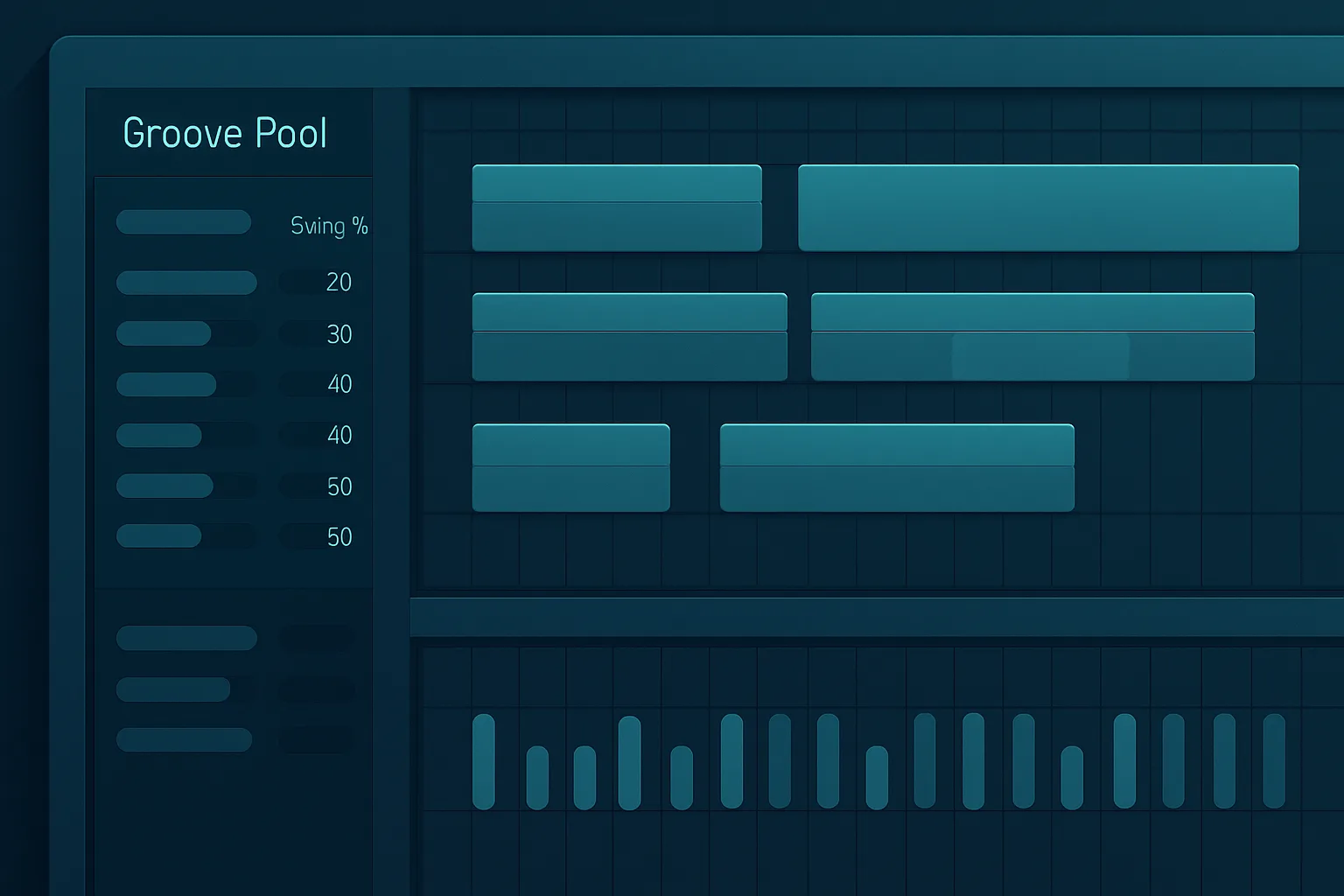
A screenshot here should show the groove pool fl studio interface with a drum pattern before and after application. If you document your own sessions, label the clips clearly so you can hear the change in timing and feel. For more arrangement context, beat lines and bars explained for producers helps you hear why small timing changes matter.
Best groove templates to start with
You do not need a huge template library to get good results. Start with a few groove types, learn how they move the beat, and reuse the ones that fit your sound. Groove pool fl studio becomes much more useful when you stop treating it like a random preset menu.
MPC-style swing
MPC-style swing is a strong starting point if you want hip-hop bounce or a looser programmed feel. It works well when the beat needs movement but still needs to hit hard.
I test this on hi-hats first. If the hats move better, the groove is usually on the right track. If the kick starts feeling late or lazy, I reduce the amount and keep the center of the beat stable. That same logic fits well with making drums hit harder without muddying the mix→.
Drum-derived grooves
Drum-derived grooves give you a more natural, human pulse. These work well when you want programmed drums to feel closer to a live performance without recording a drummer.
That makes them useful for film cues, commercial loops, and hybrid productions. It helps the beat breathe, and it also keeps layered percussion from sounding copy-pasted. If your loop feels crowded, tighten rhythmic separation with clean gate settings→ before you add more groove.
Subtle vs heavy groove choices
Subtle grooves work best when the arrangement already has energy. Heavy grooves work when the beat feels stiff and needs a clear human push. I usually start subtle, then increase only if the loop still feels grid-locked.
A simple starting point:
If you want to compare timing choices against the arrangement, understanding beat lines and musical phrasing helps you keep the groove musical instead of random.
How to create custom groove templates
Custom templates are where Groove Pool becomes a real workflow tool. Instead of relying on stock swing, you can capture the feel of your own MIDI performance and reuse it across a whole beat. That is what makes groove pool fl studio valuable in a serious production workflow.
Extracting groove from a MIDI pattern
Start with a MIDI pattern that already feels good. It can be a hat line, a percussion loop, or even a drum pattern with natural timing variation. Then use that pattern as the source for your groove template so you can transfer its feel to other notes and clips.
I prefer extracting groove from a pattern that already sounds musical on its own. If the source pattern feels bad, the template will just preserve bad timing. Good groove starts with a good performance, even when you program it by hand.
Saving and reusing custom templates
Once you find a groove you like, save it and reuse it on other patterns in the same project. This is how you build a repeatable rhythm language across a beat. I often use one custom hat groove, then apply a lighter version to percussion so the whole loop feels connected.
That matters in larger arrangements too. If your beat has multiple drum buses or layered percussion groups, understand auxes, sends, and returns in your FL Studio routing→ so the timing feel survives the routing chain. Groove should stay consistent from the pattern to the bus.
Groove Pool vs FL Studio Groove Machine
Groove Pool and Groove Machine are not the same tool, and that matters. Groove Pool focuses on groove templates and timing feel. Groove Machine was designed as a multichannel drum sampler, multitimbral hybrid synth, sequencer, and groove box inspired by hardware performance workflows.
What Groove Machine was designed for
According to Image-Line’s manual, Groove Machine is deprecated and built around performance, sequencing, and integrated drum/synth control. It includes 8 sampler tracks, 5 synth tracks, and 10 effects per track, plus per-step automation. That makes it a creative instrument, not a groove-template utility.
Why Groove Pool is the better workflow tool for most users
If you want to shape the feel of an existing beat, Groove Pool is the better workflow tool. It is faster, simpler, and easier to apply across patterns. Groove Machine can inspire ideas, but Groove Pool helps you finish records.
Here’s the practical comparison:
| Feature | Groove Pool | Groove Machine |
|---|---|---|
| --- | --- | --- |
| Main purpose | Apply groove templates | Build sequenced performances |
| Best use | Beat feel and timing | Creative sound generation |
| Workflow speed | Fast | Heavier setup |
| Status | Current FL Studio workflow tool | Deprecated plugin |
If you are already building beats inside FL Studio, Groove Pool keeps the process clean. Groove Machine belongs to a different creative lane.
Practical beat-making workflow examples
Real beat work is where Groove Pool proves itself. I use it to make drums feel less robotic, to glue hats and percussion together, and to keep the whole beat moving with one shared pocket. That is why groove pool fl studio stays in my workflow instead of becoming a one-off trick.
Making drums feel less robotic
Start with a basic kick and snare loop, then apply a subtle groove template. Keep the kick steady and let the hats and ghost notes move first. This usually creates a human feel without weakening the backbone of the beat.
In practice, I listen for three things: kick impact, snare placement, and the space between hits. If those three hold together, the groove works. If not, I back off and keep editing. For more control over transient spacing, tighten rhythmic separation with clean gate settings can help before you start moving notes.
Adding groove to hi-hats and percussion
Hi-hats respond best to Groove Pool because they carry the motion of the beat. Percussion follows well too, especially shakers, congas, rim hits, and layered loops. I often apply a stronger groove to hats and a softer one to percussion so the pattern stays balanced.
That approach works well in genre-heavy production. In contrast, if you push every element equally, the beat can feel lopsided. If you need to understand how timing supports structure, beat lines and bars explained for producers gives you a useful framing.
Matching groove across a whole beat
One of the biggest benefits of Groove Pool is consistency. If your hats, percussion, and melodic stabs all share a similar pocket, the beat feels intentional. That is especially important when you layer loops, synth stabs, and chopped audio.
A repeatable groove across the beat also helps when you group drums and route them cleanly. If you want that part of the workflow to stay organized, understand auxes, sends, and returns in your FL Studio routing→ before you finish the arrangement.
Groove Pool FL Studio: Common Mistakes to Avoid
Groove Pool helps, but it can also make a beat worse if you overdo it. Most problems come from applying too much swing, choosing the wrong template for the genre, or forgetting that groove is only one part of rhythm. groove pool fl studio works best when you stay selective.
Over-applying swing
Too much swing can make the beat drag. Instead of adding bounce, it can pull energy out of the loop and make the kick feel late. I keep an eye on the downbeat first, because if the downbeat loses authority, the groove stops serving the song.
Using the wrong template for the genre
Not every groove suits every track. A heavy swing template may work in boom bap, but it can sound awkward in polished pop or tight commercial music. I always match the template to the role of the beat, not just the vibe of the preset.
Forgetting velocity and note placement
Groove is not only timing. Velocity and note placement shape the feel just as much, especially in hats and percussion. If every note hits with identical strength, the groove can still feel flat even after timing changes.
It also helps to separate groove decisions from mixing and mastering tasks. If a beat feels off, fix the rhythm first. Don’t hide the problem with processing.
Groove Pool tips for better rhythm and feel
Once you understand the basics, Groove Pool becomes part of a larger rhythm system. I use it alongside editing, grouping, and arrangement choices so the beat feels deliberate from the start. That is how groove pool fl studio stays useful over time instead of becoming another unused feature.
Layering groove with beat lines
Think in phrases, not just bars. If your beat line pushes forward, use groove to reinforce the motion instead of fighting it. That keeps the loop musical and avoids random timing shifts.
Combining groove with quantization
I do not choose between quantization and groove. I use quantization to clean up the rough edges, then I use groove to bring life back into the pattern. That sequence gives me control without sacrificing feel.
Building a repeatable groove workflow
Build a few template habits and keep them consistent across projects. For example, I might start with a dry drum pattern, add a custom hat groove, and then apply a lighter version to percussion or fills.
A repeatable workflow also keeps the session organized when routing gets bigger. If you are layering elements through drums buses or shared effect paths, understand auxes, sends, and returns in your FL Studio routing so your rhythm work stays clear.
FAQ
Is Groove Pool the same as swing in FL Studio?
No. Swing in FL Studio gives you a broad timing offset, while Groove Pool applies a specific groove template. I use swing for quick feel changes and Groove Pool when I want repeatable timing control across multiple patterns. That makes Groove Pool more precise for production work.
Can I create my own groove templates?
Yes. You can extract groove from a MIDI pattern that already feels good and reuse it across other parts of the beat. I recommend starting with hats or percussion, because those patterns reveal groove changes clearly. Save the template and test it on a second loop before committing.
What is the difference between Groove Pool and Groove Machine?
Groove Pool is a workflow tool for applying groove templates. Groove Machine was a deprecated multichannel drum sampler, synth, sequencer, and groove box built for performance. If your goal is beat feel, Groove Pool is the practical choice. Groove Machine is more of a creative instrument.
How do I open Groove Pool in FL Studio?
Open the Channel Rack and look for the groove or quantize options in the menu area. From there, you can access templates and apply them to the selected notes or patterns. If you work in the Piano Roll, test the groove on a short loop first so you can hear the effect clearly.
Conclusion
Groove Pool gives you a fast way to add swing, human feel, and repeatable rhythm without rebuilding every note by hand. It works best when you use it on patterns that already have a clear pulse, then adjust the amount until the beat breathes without losing impact. I rely on it for hats, percussion, and any loop that feels too locked to the grid.
The biggest takeaways are simple: start subtle, match the groove to the genre, save custom templates when you find a good pocket, and fix timing before mixing. If you want a more musical loop in less time, groove pool fl studio is one of the most practical tools in FL Studio.
Try one groove template on your current beat today and listen to what changes first. Then compare the before-and-after on hats and percussion, and keep the version that makes the track feel alive.