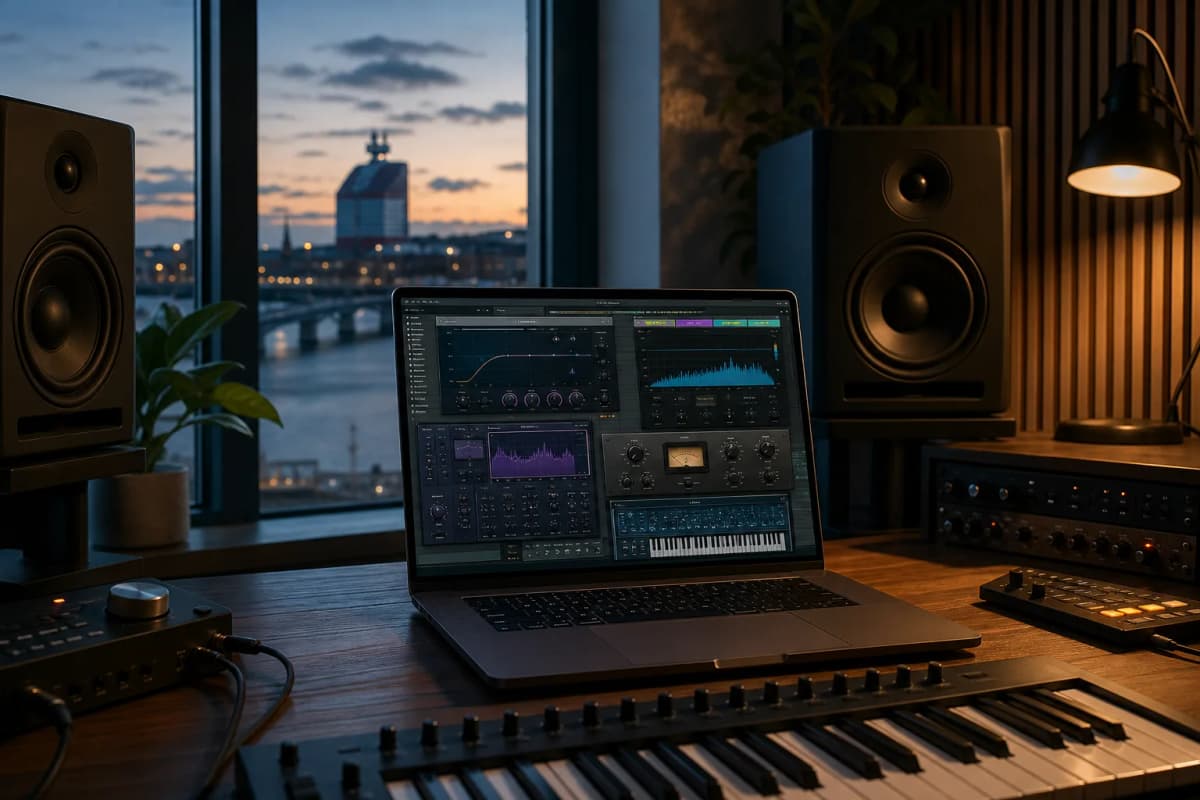
What are the best vst plugins in 2026 if you care about results, not hype? I built this roundup around real workflow decisions: sound quality, CPU load, price, versatility, and how fast a plugin gets you to a finished track. I work in Logic Pro from my home studio in Gothenburg, and I care about tools that hold up in real sessions, not just demo videos.
This is not a generic top-10 list. I grouped the best music production plugins by use case so you can choose faster and spend less money on tools you will actually use. If you want a broader starting point, I also recommend more of the best VST plugins on the market→ and the difference between mixing and mastering→.
Best VST Plugins for 2026: How We Chose Them
I chose these plugins the same way I choose tools for client work: by testing them in real sessions. Some plugins sound great but slow you down. Others are fast and light, but they do not give you enough control for serious work.
I also looked at how often I would reach for each plugin in a real project. That matters more than marketing claims. For compression decisions, I keep the main types of audio compressors→ in mind because the right tool depends on the job.
Evaluation criteria: sound quality, workflow, CPU load, price, and versatility
Here is how I judged each pick:
I also checked whether each plugin solved a real problem instead of adding another layer of complexity. That is the difference between a tool you keep and a tool you uninstall. If you want a deeper EQ perspective, mixing EQ workflow→ is a useful companion read.
Who this roundup is for
This article is for producers who want a practical shortlist, not a plugin hoarding problem. If you make beats, mix vocals, score film cues, or master client work, you will find a category that fits your workflow.
If you are new, this will help you avoid buying five plugins that do the same thing. If you are experienced, it will help you refine your toolkit and cut waste. If you want to understand the process behind the final stage, read the difference between mixing and mastering.
Quick Comparison: Best VST Plugins by Category
The best vst plugins are easier to choose when you compare them by job, not by hype. This table gives you the fastest route to the right tool, and it links directly to the sections below.
| Category | Plugin | Why it stands out | Typical price |
|---|---|---|---|
| --- | --- | --- | --- |
| Best all-around plugin | FabFilter Pro-Q 3 | Fast EQ workflow, dynamic EQ, M/S, surgical control | About $179 |
| Best mixing plugin | FabFilter Pro-C 2 | Flexible compression, clean interface, great for vocals and buses | About $179 |
| Best mastering plugin | iZotope Ozone 11 Advanced | Full mastering suite, AI-assisted workflow, strong metering | About $499 |
| Best creative plugin | Xfer Serum 2 | Deep wavetable sound design, modern modulation, huge range | About $189 |
| Best free option | Vital | Powerful free wavetable synth with serious modulation | Free, paid tiers available |
If you want a deeper mastering path, bookmark best limiter plugin picks for 2026→. If you want to understand how I think about EQ decisions, mixing EQ workflow is a useful companion read.
Best all-around plugin
If I had to keep one utility plugin in a lean setup, I would pick FabFilter Pro-Q 3. It is one of the best vst plugins because it solves more problems than almost anything else in the mix stage.
I use it for corrective EQ, tonal shaping, dynamic cuts, and mid/side work. The interface is fast, the spectrum display is clear, and the workflow stays smooth even when the session gets busy. At around $179, it is not cheap, but it pays for itself quickly if you mix often.
In my own sessions, Pro-Q 3 is the plugin I open first on vocals, dialogue, and problem instruments. On my MacBook Pro M4 Max, it stays light enough that I can run multiple instances without worrying about CPU spikes. That matters when I am building film cues or commercial mixes with lots of layers.
Best mixing plugin
For compression, FabFilter Pro-C 2 is one of the strongest choices in 2026. It gives you multiple styles, sidechain filtering, and a clean interface that makes gain reduction easy to judge.
If you want a broader view of compression choices, read the main types of audio compressors→. Pro-C 2 stands out because it works on vocals, drums, buses, and even subtle glue duties without fighting your mix.
I have A/B tested Pro-C 2 against stock Logic Pro compression on dialogue and lead vocals, and the difference is workflow speed. I get to the right attack and release faster, which saves time across an entire session. That is why it stays in my core mixing chain.
Best VST Plugins for Mixing
The best vst plugins for mixing should help you move fast without losing control. In my work, that means tools that make EQ, compression, saturation, and cleanup decisions easier in a dense session.
I do not want a plugin that looks impressive and slows me down. I want one that helps me finish a vocal, a drum bus, or a full commercial mix with fewer clicks. If you are still building your chain, the main types of audio compressors and mixing EQ workflow are the two fundamentals I would study first.
EQ and compression picks
For EQ, FabFilter Pro-Q 3 remains my first choice. It gives you dynamic EQ, linear phase mode, M/S processing, and a workflow that feels instant in Logic Pro. For compression, FabFilter Pro-C 2 is still one of the cleanest and most flexible options I have used.
If you want a more character-driven compressor, UAD 1176 Classic Limiter Collection and UAD LA-2A Leveler Collection are still excellent, especially if you want familiar analog behavior. They cost more than stock tools, but they can speed up decisions when you know the sound you want.
Saturation and color tools
For saturation, FabFilter Saturn 2 is one of the most useful color tools I own. It can stay subtle or get wild, and the multiband design makes it easy to add harmonics without wrecking the low end. If you want to understand the theory behind it, read how audio saturation works→.
I also use Soundtoys Decapitator when I want a faster, more obvious color move. It is not subtle, and that is the point. On drums, vocals, and synths, it can add density in seconds.
Why these plugins stand out
These are the best vst plugins for mixing because they solve common problems with minimal friction. Pro-Q 3 handles cleanup and tone shaping. Pro-C 2 handles control and glue. Saturn 2 and Decapitator add density and attitude.
That combination covers most of the work I do in commercial music and film cues. It also keeps CPU use manageable, which matters when a session grows to 80 or 100 tracks. If you want more context on compression choices, the main types of audio compressors is worth reading before you buy.
Best VST Plugins for Mastering
The best vst plugins for mastering need to do two things well: they must sound clean at high levels, and they must help you make fast, confident decisions. In mastering, I care about transparency, metering, and how quickly I can hear the impact of each move.
I use mastering tools differently from mixing tools. Mixing is about balance and movement. Mastering is about translation, loudness, and final polish, so I keep the difference between mixing and mastering close when I build a chain.
Limiter plugins
For limiting, FabFilter Pro-L 2 is still one of the most reliable choices I have used. It gives you multiple limiting styles, excellent metering, and a workflow that makes it easy to hit a target without crushing the mix. If you want a deeper breakdown, I wrote best limiter plugin picks for 2026→.
iZotope Ozone 11 Maximizer is another strong option, especially if you want an all-in-one suite. It can get loud fast, and the IRC modes give you flexibility depending on the material. For streaming masters, film deliverables, and quick client revisions, that matters.
Metering and final-chain tools
For metering, iZotope Insight 2 is still a practical choice. It gives you loudness, spectrum, and surround-aware tools in one place. I also like Youlean Loudness Meter 2 because it is simple, accurate, and easy to keep open on a second screen.
If you want a full chain, iZotope Ozone 11 Advanced is the most complete suite here. It combines EQ, dynamics, imaging, exciter, and maximizer tools in one environment. That makes it useful when you need speed more than surgical customization.
When to choose a limiter vs an all-in-one suite
Choose a limiter when your mix already sounds right and you only need final loudness control. Choose a suite when you need help with multiple mastering decisions in one place. That is the practical split I use on client work.
If I am mastering a track that already sounds balanced, I reach for Pro-L 2 first. If I need to rescue a rough mix or move quickly on a revision, Ozone 11 gives me more tools in one window. That is why both belong on a serious shortlist.
Best Creative VST Plugins
Creative tools should unlock ideas fast. The best vst plugins in this category help you design sounds, build movement, and find a direction before you get stuck.
I use creative plugins when I need a cue to evolve, a synth to carry a hook, or a texture to make a commercial track feel expensive. In film and TV work, that speed matters because deadlines do not wait for inspiration.
Sound design and modulation tools
Xfer Serum 2 is still one of the most powerful wavetable synths available. It gives you deep modulation, a huge sound design range, and a workflow that many producers already know. If you want a free alternative, Vital is the best starting point I recommend.
Cableguys ShaperBox 3 is another favorite for movement. It lets you shape volume, filter, pan, width, and time in a way that feels musical instead of technical. That makes it ideal for modern electronic production.
Instruments and synths
For cinematic and hybrid work, Native Instruments Kontakt 8 remains essential. The ecosystem is massive, and the library support is still one of the biggest reasons producers buy into it. If you write for film, TV, or trailer-style cues, it can save hours.
For quick inspiration, Arturia Pigments 5 is excellent. It combines wavetable, virtual analog, granular, and sample-based synthesis in one interface. That range makes it one of the most flexible creative tools I use when I want ideas fast.
Best choices for fast inspiration
If you want speed, start with Vital, Arturia Pigments 5, and ShaperBox 3. Those three cover a lot of ground without forcing you into a long setup process. I reach for them when I need motion, texture, or a hook that feels alive.
If you are building a sound design toolkit from scratch, do not buy ten creative plugins at once. Pick one synth, one movement tool, and one texture tool. That gives you enough range without creating decision fatigue.
Best Free and Budget VST Plugins
You do not need a huge budget to make good records. The best vst plugins on a budget are the ones that solve real problems and stay useful after the novelty wears off.
I have seen too many producers spend money on flashy tools before they learn the basics. A small, focused setup usually gets better results. If you want to understand why, the difference between mixing and mastering will help you avoid buying the wrong category.
Free plugins worth installing
Vital is the first free plugin I recommend. It is a serious wavetable synth, not a toy. TDR Nova is another essential free tool because it gives you dynamic EQ in a clean, practical interface.
Valhalla Supermassive is also worth installing if you want huge delays and ambient textures. It is free, and it sounds far more expensive than it is.
Best value paid plugins under a budget
If you can spend a little, FabFilter Pro-Q 3 and FabFilter Pro-C 2 are the best long-term value buys in this list. They are not budget plugins in the cheapest sense, but they replace several weaker tools and save time every week.
For creative work, Arturia Pigments 5 often gives more value than buying multiple smaller synths. It covers a lot of sonic ground and stays approachable. If you want one paid plugin that feels like a studio upgrade, that is a strong candidate.
Best VST Plugins by Producer Type
The right plugin depends on how you work. The best vst plugins for a beginner are not always the same as the best tools for a mixing engineer or a beatmaker.
I think in terms of speed, repeatability, and the kind of decisions you make every day. That is how you avoid buying tools that look good in a list but never fit your workflow.
For beginners
Start with FabFilter Pro-Q 3, FabFilter Pro-C 2, and Vital. Those three teach you EQ, compression, and synthesis without overwhelming you. They also scale well as your skills improve.
If you want a simpler path, use your DAW stock tools first and add one premium plugin at a time. That keeps your learning curve manageable.
For beatmakers
Beatmakers should look at Vital, Xfer Serum 2, ShaperBox 3, and Soundtoys Decapitator. Those plugins help you build hooks, movement, and texture fast. They also work well when you want a track to feel more finished before mixing.
For mixing engineers
Mixing engineers should prioritize FabFilter Pro-Q 3, FabFilter Pro-C 2, FabFilter Saturn 2, and UAD LA-2A Leveler Collection. These tools cover cleanup, control, color, and smooth leveling. That combination is practical and efficient.
For electronic music producers
Electronic producers should start with Serum 2, Pigments 5, ShaperBox 3, and Valhalla Supermassive. Those plugins cover synthesis, movement, and atmosphere. They are especially useful if you want modern sound design without a huge learning penalty.
Limiter Plugin Picks: The Most Important Mastering Subsection
Limiter choice matters more than most producers think. A good limiter can give you loudness without flattening the mix, while a bad one can make the top end brittle and the low end unstable.
I wrote a dedicated guide on best limiter plugin picks for 2026, but the short version is simple: choose a limiter that matches your goal. If you want transparency, pick one tool. If you want loudness and speed, pick another.
What makes a limiter good in 2026
A good limiter should give you clean gain reduction, clear metering, and enough control to avoid distortion. It should also stay stable when you push it hard. In 2026, I also care about oversampling, true peak control, and how easy it is to hear the tradeoff between loudness and punch.
Best limiter for transparency
FabFilter Pro-L 2 is my first choice for transparency. It is easy to trust, and it gives you enough visual feedback to make smart decisions quickly. If you master a lot of different genres, that flexibility matters.
Best limiter for loudness
iZotope Ozone 11 Maximizer is the better pick when you want loudness fast. It can get aggressive without falling apart, and the suite workflow helps when you need to move from mix to master in one session.
Best limiter for easy workflow
Waves L2 Ultramaximizer still earns a place here because it is simple and fast. It does not offer the same modern flexibility as Pro-L 2, but it gets the job done when you want a straightforward final stage.
How to Choose the Right VST Plugins
The best purchase is the one you will use every week. The best vst plugins for your setup should match your DAW, your genre, and your tolerance for complexity.
I have learned that plugin overload kills momentum. If you own too many tools, you spend more time choosing than creating. That is why I prefer a small core set and a few specialty tools.
Avoiding plugin overload
Start with one EQ, one compressor, one limiter, one creative synth, and one utility tool. That gives you enough range to finish real work without drowning in options. If you need more depth later, add one plugin at a time.
Matching plugins to your DAW and workflow
If you use Logic Pro, stock tools already cover a lot. That means your paid plugins should solve a specific problem, not duplicate what you already have. I use that rule in my own studio because it keeps my sessions fast.
Buying strategy: bundles vs single plugins
Buy single plugins when you know exactly what you need. Buy bundles when you are building a full toolkit and the pricing makes sense. I usually prefer singles for precision and bundles only when the ecosystem is strong enough to justify it.
Final Verdict: Best Picks by Use Case
If you want the shortest answer, here it is: FabFilter Pro-Q 3 is the best all-around utility, FabFilter Pro-C 2 is the best mixing compressor, FabFilter Pro-L 2 is the best transparent limiter, and Vital is the best free creative option.
If you want the best vst plugins for a lean setup, start with Pro-Q 3 and Pro-C 2, then add Pro-L 2 if you master your own work. If you make beats or electronic music, add Serum 2 or Pigments 5 next. Compare the picks above, then choose the one that solves your biggest bottleneck first.
FAQ: Best VST Plugins for 2026
What are the best vst plugins for beginners in 2026?
The best starting point is usually FabFilter Pro-Q 3, FabFilter Pro-C 2, and Vital. Those three cover EQ, compression, and synthesis without forcing you into a huge learning curve. They also stay useful as your skills improve.
Which VST plugins are best for mixing?
For mixing, I would start with FabFilter Pro-Q 3, FabFilter Pro-C 2, FabFilter Saturn 2, and UAD LA-2A Leveler Collection. That combination covers cleanup, control, color, and smooth leveling. It is a practical set for vocals, drums, and buses.
What is the best limiter plugin for mastering?
FabFilter Pro-L 2 is my top pick for transparency and control. If you want a full suite with louder, faster workflow options, iZotope Ozone 11 Maximizer is also strong. The right choice depends on whether you want precision or speed.
Are free VST plugins worth using?
Yes, if you choose the right ones. Vital, TDR Nova, and Valhalla Supermassive are all genuinely useful and can cover serious work. Free plugins are worth using when they solve a real problem and fit your workflow.
How many VST plugins do I really need?
Most producers need fewer plugins than they think. A solid core of five to ten tools can cover most work if you choose carefully. The goal is not to own more plugins; it is to finish better tracks faster.