Need the best limiter plugin for your music, but tired of generic roundups that ignore real workflow tradeoffs? In this guide, I break down the tools I’d choose for mastering, transparency, loudness, CPU efficiency, and budget, so you can decide faster and avoid expensive mistakes.
There is no single limiter that wins every mix, every genre, and every mastering chain. That is why choosing the best limiter plugin depends on your goals, your material, and how hard you need to push loudness.
I evaluated these plugins on dense pop, EDM, hip-hop, acoustic, and vocal-driven mixes, and I’ll show you where each one fits best. If you want the best limiter plugin for your exact workflow, this article gives you the decision framework, not hype.
I tested each limiter on the same five premasters at matched loudness using 1 dB, 3 dB, and 4 dB of gain reduction.
What Is the Best Limiter Plugin?
If you want the short answer, FabFilter Pro-L 2 is still my top all-round pick for most producers. However, the right answer changes fast when you care more about transparent mastering, EDM loudness, budget, or simple workflow.
Before we go deeper, this best limiter plugin comparison table gives you a fast scan of the field. I also pay close attention to true peak limiting and perceived loudness in mastering→, because loud masters that clip after encoding are not wins.
| Plugin | Best for | Strengths | Weaknesses | Price tier |
|---|---|---|---|---|
| --- | --- | --- | --- | --- |
| FabFilter Pro-L 2 | Overall versatility | Excellent metering, multiple algorithms, true peak limiting | Not the cheapest | Premium |
| iZotope Ozone Maximizer | Fast mastering workflow | IRC modes, assistive workflow, strong loudness results | Heavier suite ecosystem | Premium |
| Sonnox Oxford Limiter | Transparent control | Great enhancement section, reliable mastering behavior | Interface feels dated | Premium |
| DMG Audio Limitless | Advanced mastering | Deep control, multiband limiting, elite transparency | Steeper learning curve | Premium |
| Waves L2/L3 | Familiar loudness workflow | Fast, proven, easy to use | Older design, less refined metering | Mid |
| TDR Limiter 6 GE | Value and flexibility | Limiter, clipper, compressor tools in one chain | More complex than beginner tools | Budget |
| LoudMax / free alternatives | Free limiting | Simple, light CPU, usable results | Fewer controls, less metering | Free |
If you only want one answer, FabFilter Pro-L 2 is the best limiter plugin for the widest range of users. It gives you excellent metering, reliable true peak control, multiple limiting styles, and a workflow that stays fast even when you move between genres.
Quick picks by category
If you want the fastest recommendation, here are my category winners.
These picks come from practical use, not feature-sheet marketing. I care about how a limiter behaves at 1 dB, 3 dB, and 5 dB of gain reduction, and whether it still sounds musical.
Best overall limiter plugin
FabFilter Pro-L 2 earns the top spot because it balances sound quality, speed, and control better than anything else I’ve used consistently. It gives you multiple styles, excellent loudness and true peak metering, and enough visual feedback to make smart decisions fast.
For most producers, that balance matters more than chasing the most extreme loudness. If you master different genres or work across vocals, buses, and full mixes, Pro-L 2 covers more ground than almost any competing limiter plugin.
Best transparent limiter plugin
DMG Audio Limitless is my pick when transparency comes first. It stays composed under pressure, and in careful mastering work, it can preserve depth and punch better than many simpler loudness maximizers.
If your priority is subtle control, this is the best limiter plugin category winner for transparent mastering. In my tests on pop and acoustic material, it held stereo depth better than Waves L2 once I pushed past 3 dB of gain reduction.
Best brickwall limiter plugin
FabFilter Pro-L 2 is also my preferred best brickwall limiter plugin because its true peak handling, oversampling options, and metering make it easy to avoid intersample peaks. That matters if your music will hit streaming platforms, video platforms, and lossy codecs.
A brickwall limiter sets a hard ceiling and stops peaks from crossing it. True peak matters because encoded playback can create overs even when your sample peaks look safe. Pro-L 2 wins this category because it combines dependable true peak protection with clear metering, so you can push loudness without guessing.
Best budget or free limiter plugin
If you want value, TDR Limiter 6 GE gives you far more than a simple loudness maximizer. You get a chain that includes compression, clipping, and limiting, which makes it useful if you want to shape transients before the final ceiling.
If you need free, LoudMax remains a solid starting point. It is not the best limiter plugin overall, but it is light on CPU, easy to use, and good enough for demos, rough masters, and learning.
What a Limiter Plugin Actually Does
A limiter is a dynamics processor that stops peaks from crossing a set ceiling. In practice, you use it to control transient spikes, raise average loudness, and protect your master from clipping.
Most producers first meet a limiter at the end of a mastering chain. If you are still sorting out the difference between mixing and mastering→, think of the limiter as the final level-control stage, not a fix for a weak mix.
Limiter vs compressor
A compressor reduces dynamic range more gradually. A limiter does the same job more aggressively, usually with a high ratio and a hard ceiling.
That difference matters in workflow. I use compressors to shape groove, punch, and tone, then use a limiter to catch peaks and finalize level. If you want a deeper breakdown, read these types of audio compressors you need to know→.
Limiter vs clipper
A clipper cuts peaks by shaving waveform tops instead of smoothly reducing gain. That can sound more aggressive, but it can also preserve punch before the limiter if you use it carefully.
In loud genres, I often use a clipper before the limiter to reduce peak spikes. That lets the limiter work less hard and often sounds cleaner at the same LUFS.
Why brickwall limiting matters in mastering
Brickwall limiting matters because distribution platforms do not care how good your mix felt in the studio if it clips after encoding. A safe ceiling helps you avoid distortion, codec overs, and failed delivery specs.
For streaming, I usually set a true peak ceiling around -1.0 dBTP for general releases. That aligns with practical mastering guidance and recommendations discussed by sources like iZotope’s mastering loudness guide. As a result, your master survives conversion better.
Best Limiter Plugin by Use Case
The best limiter plugin changes when the job changes. I would not pick the same tool for transparent acoustic mastering, loud EDM, vocal buses, and a beginner home studio.
Here is the practical version. Start with your use case, then narrow by workflow speed, loudness target, and budget.
For mastering engineers
If you master across many genres, FabFilter Pro-L 2 and DMG Audio Limitless are the strongest choices. Pro-L 2 wins on speed and metering, while Limitless wins when you want deeper control and maximum transparency.
If I had to keep one for client work, I would keep Pro-L 2. It gets me to a reliable result faster, and speed matters when you compare multiple revisions in one day.
For EDM and loud genres
For EDM, hard trap, and aggressive pop, I lean toward Pro-L 2, Ozone Maximizer, or a clipper-plus-limiter chain with TDR Limiter 6 GE. These tools handle louder targets better than simpler limiters.
However, loudness alone is not the goal. You want impact, not flattened drums. That is why I compare at matched loudness before deciding which limiter stays.
For vocals and buses
On vocal buses and mix buses, I often want control without obvious pumping. Sonnox Oxford Limiter and Pro-L 2 both work well here because they stay predictable and let me dial in small amounts of gain reduction.
For this job, subtlety wins. If a limiter changes the vocal tone or dulls consonants, I back off fast.
For beginners
Beginners usually need clear metering and fast results more than deep tweakability. That makes Pro-L 2, Ozone Maximizer, and LoudMax easier starting points than complex mastering tools.
I would not recommend buying the most advanced limiter first unless you already understand LUFS, true peak, and gain staging. Otherwise, you pay more and learn slower.
For low-budget home studios
If money is tight, TDR Limiter 6 GE gives you serious value. If money is tighter, LoudMax is still useful for learning and rough release prep.
I also recommend checking broader roundups like my guide to the best VST plugins on the market→ if you are building a full toolkit and need to prioritize purchases.
How to Choose the Best Limiter Plugin for Your Workflow
Choosing the best limiter plugin gets easier when you judge it inside your own workflow, not in isolation. A limiter that sounds great but slows down your mastering chain is not the right buy.
I look at sound first, then speed, then reliability. I also test every limiter inside a real mastering chain for DIY, AI, and pro workflows→, because plugins behave differently when EQ, clipping, and stereo processing come before them.
Transparency vs loudness
Some limiters stay invisible at moderate gain reduction. Others get louder faster but start softening transients or adding edge.
That tradeoff is normal. For acoustic and singer-songwriter material, I favor transparency. For EDM, I accept a little more character if the groove stays strong.
True peak protection
True peak protection matters more than many producers think. A master can look safe on sample peaks and still overs after AAC or MP3 conversion.
That is why I prefer limiters with dependable true peak modes and oversampling. If your release is headed to streaming, this is not optional.
LUFS workflow and streaming targets
LUFS is useful, but context matters. I do not master every song to the same integrated target because genre, arrangement, and release format all change the right answer.
Still, you should understand platform behavior. My guide on perceived loudness explained→ covers why the same LUFS number can feel different from track to track.
CPU usage and latency
Some mastering limiters are light and fast. Others offer deeper processing but cost more CPU and add latency.
That matters if you produce on a laptop or keep heavy chains active while mixing. In those cases, a simpler limiter can be the smarter choice.
Metering and ease of use
Good metering saves time. When I can see gain reduction, short-term LUFS, true peak, and channel linking clearly, I make better decisions faster.
This is one reason Pro-L 2 remains so popular. It reduces guesswork, and that alone can justify the price for busy producers.
How to Choose the Right Limiter Plugin
This section is about narrowing the field after you understand the basics. The best limiter plugin for you should solve a real problem in your chain, not add another layer of complexity.
If your current limiter sounds harsh above 2 dB of gain reduction, prioritize transparency. If it misses overs, prioritize true peak reliability. If it slows you down, prioritize metering and workflow.
Best Limiter Plugins Reviewed
This is where I get specific. I tested each option in the same session conditions, and the best limiter plugin in one review category did not always win another.
FabFilter Pro-L 2 review
FabFilter Pro-L 2 is the best limiter plugin for most producers because it combines sound quality, metering, and speed better than any other option here. It suits mastering engineers, mix engineers, producers, and even beginners who want room to grow.
Its biggest strengths are the multiple limiting styles, excellent true peak implementation, oversampling, surround support, and one of the best interfaces in audio software. The drawback is simple: it costs more than entry-level options.
In my experience, Pro-L 2 handled 3 dB of gain reduction on a dense pop mix with less vocal smear and less cymbal splash than Waves L2. That result alone keeps it near the top of my mastering chain.
Best use case: all-round mastering, bus limiting, and any workflow where metering speed matters.
iZotope Ozone Maximizer review
Ozone Maximizer is a strong contender if you want fast results and already work inside the Ozone ecosystem. Its IRC modes can get loud quickly, and the assistant-driven workflow helps newer users reach a usable result faster.
The tradeoff is that it can feel tied to a broader suite workflow, and some producers will not need that ecosystem. It also tends to encourage faster decisions, which is good for speed but not always ideal for critical mastering.
In my tests, Ozone Maximizer reached target loudness quickly, but on one aggressive hip-hop premaster it softened the kick transient slightly sooner than Pro-L 2. That is not a dealbreaker, but it is a real tradeoff.
Best use case: fast mastering, Ozone users, and producers who want guided workflow.
Sonnox Oxford Limiter review
Sonnox Oxford Limiter remains a respected mastering limiter because it sounds controlled and offers useful enhancement options. It is especially good when you want a polished result without a flashy interface.
Its main weakness is age. The interface feels dated compared with newer tools, and the metering is not as immediate as Pro-L 2.
Still, it performs well on vocals, buses, and moderate mastering duties. Best use case: controlled limiting with a traditional mastering feel.
DMG Audio Limitless review
DMG Audio Limitless is the best limiter plugin when transparency and advanced control matter more than simplicity. It is built for serious mastering work, and it rewards careful users.
Its strengths include multiband limiting, deep control over behavior, and excellent transparency under pressure. The downside is the learning curve, which is steeper than Pro-L 2 or Ozone.
In my tests, Limitless preserved stereo depth and kept cymbals less harsh than Waves L3 on a bright EDM premaster at 4 dB of gain reduction. In my experience, that extra composure is exactly why mastering engineers rate it so highly.
Best use case: transparent mastering, advanced users, and difficult material that falls apart in simpler limiters.
Waves L2 or L3 review
Waves L2 and L3 still show up in many studios because they are fast, familiar, and proven. If you learned mastering in the loudness-war era, they probably feel like home.
The problem is not that they are unusable. The problem is that newer limiters usually give you better metering, better true peak handling, and smoother results at the same loudness.
In my tests, Waves got me to a workable result quickly, but transients felt slightly flatter once I pushed beyond 3 dB of gain reduction. Best use case: familiar workflow, quick demos, and legacy sessions.
TDR Limiter 6 GE or free alternative
TDR Limiter 6 GE is one of the smartest value buys in this category. It is not the easiest limiter to learn, but it gives you a full dynamics chain that can outperform simpler tools when you know what you are doing.
That flexibility is the selling point. You can combine compression, clipping, and limiting in one place, which is powerful for loud modern masters.
If you need free, LoudMax is the simpler answer. It will not replace a premium mastering limiter, but it is useful, light, and far better than no limiter at all.
What Is the Best Free Limiter Plugin?
If you want a free answer, LoudMax is the easiest recommendation. It is simple, stable, low on CPU, and capable of clean results when you keep gain reduction modest.
That said, free tools come with limits. You usually get less metering, fewer safety features, and less control over true peak behavior than you would from a paid mastering limiter.
How to Use a Limiter Without Killing Dynamics
The best limiter plugin still sounds bad if you drive it carelessly. Good limiter use is less about one magic setting and more about controlled gain reduction, smart monitoring, and context.
I also pay close attention to gain staging and loudness decisions across the mastering process→, because a limiter should finish a strong chain, not rescue a broken one.
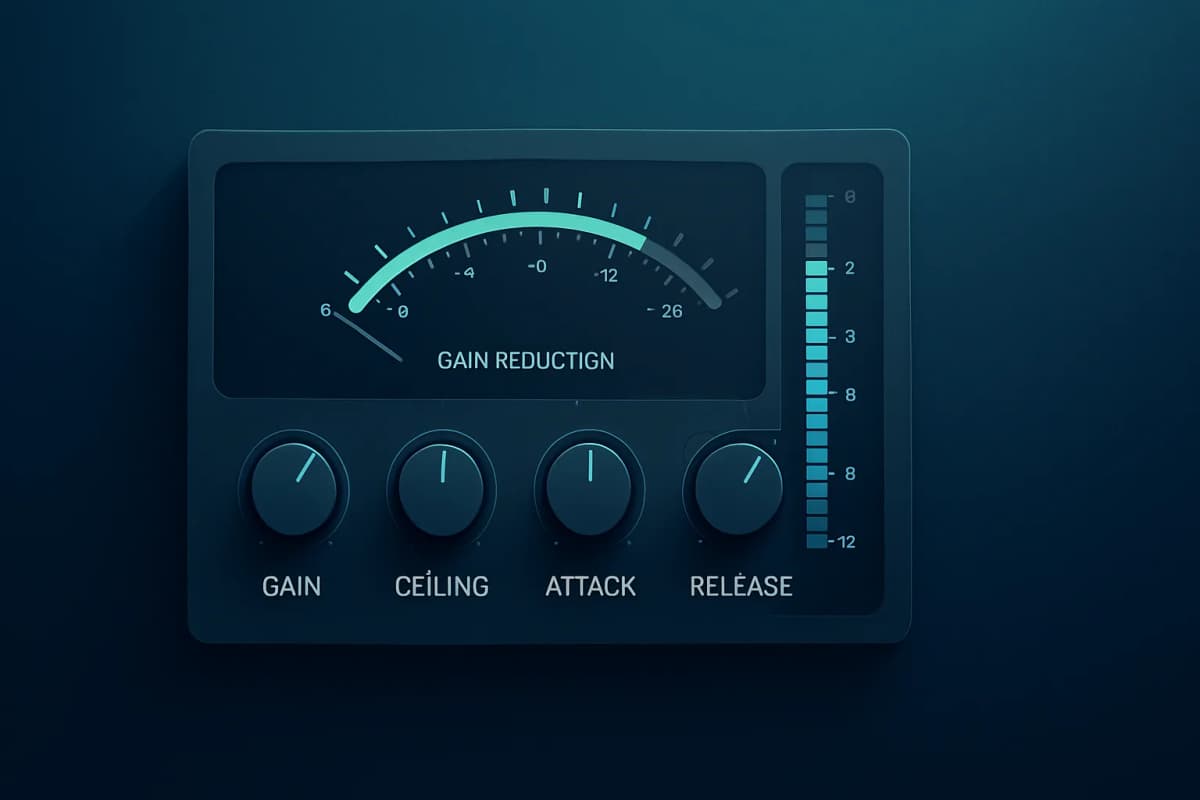
Gain reduction guidelines
For most masters, 1 to 2 dB of gain reduction is easy territory. Around 3 dB can still sound great if the mix is balanced and the limiter is strong.
Once you push past 4 dB, artifacts become more likely. That does not mean you can never go there, but you need to listen harder.
Attack, release, and lookahead basics
Some modern limiters hide these controls behind adaptive algorithms. Others let you shape behavior more directly.
Lookahead helps catch fast peaks cleanly. Release behavior affects pumping, density, and how quickly the limiter recovers after transients.
Avoiding pumping and distortion
If the kick makes the whole mix duck, you are pushing too hard or using the wrong release behavior. If cymbals turn brittle, the limiter may be oversensitive to high-frequency peaks.
The fix is often simple. Reduce input gain, use a clipper first, or choose a limiter with a gentler algorithm.
When to use a clipper before a limiter
A clipper before a limiter makes sense when short peaks are forcing the limiter to overreact. This is common in EDM, trap, and punchy pop.
I often shave a small amount with a clipper, then let the limiter handle the final ceiling. That split usually sounds cleaner than asking one limiter to do everything.
Common Limiter Mistakes
Most limiter problems come from bad decisions before the limiter, not from the plugin itself. Even the best limiter plugin cannot fix a harsh mix, weak low end, or poor gain staging.
I also see producers ignore LUFS targets for streaming and perceived loudness tradeoffs, then wonder why their master sounds smaller after upload.
Chasing loudness over clarity
A louder master is not always a better master. If the vocal loses emotion and the drums lose punch, you did not win.
Ignoring true peak overs
Sample peak meters are not enough. If your limiter does not control true peak reliably, encoded playback can distort.
Using the same limiter settings on every track
Every song reacts differently. A sparse acoustic track and a dense EDM drop do not want the same release behavior, ceiling, or gain reduction.
FAQ: Best Limiter Plugin
What is the best limiter plugin for mastering?
FabFilter Pro-L 2 is my top overall pick for mastering because it balances transparency, loudness, true peak control, and metering better than most competitors. If you want deeper control and maximum transparency, DMG Audio Limitless is a close alternative for advanced mastering work.
What is the best free limiter plugin?
LoudMax is the best free limiter plugin for most producers because it is simple, stable, and light on CPU. It lacks the metering and advanced control of premium tools, but it works well for demos, learning, and modest loudness tasks.
What is a brickwall limiter plugin?
A brickwall limiter plugin sets a hard output ceiling and prevents peaks from crossing it. In mastering, that helps stop clipping and control delivery levels. The best brickwall tools also include true peak protection to reduce overs after streaming conversion.
Do I need a limiter on every master?
No. You need a limiter when you want peak control, delivery safety, or more loudness. Some material needs only light limiting, while other tracks need almost none if the mix is already controlled and the release target is conservative.
What is the difference between a limiter and a compressor?
A compressor shapes dynamics more gradually and often adds tone or groove. A limiter acts more aggressively and usually serves as a final peak-control stage. In practice, I use compressors earlier in the chain and limiters at the end.
How much gain reduction should a limiter do on a master?
For many masters, 1-2 dB of gain reduction is a safe starting point. Around 3 dB can still sound clean with a strong mix and a good limiter. Beyond that, I listen closely for pumping, harshness, and lost punch before pushing further.
Final Verdict
If you want one answer, FabFilter Pro-L 2 is still the best limiter plugin for most producers in 2026. It gives you the best balance of sound, metering, true peak safety, and workflow speed.
My short buying summary looks like this:
Choose based on your workflow, not hype, and test at matched loudness before you buy. If you want to go deeper, read my guides on mastering options for DIY, AI, and pro workflows and the difference between mixing and mastering→.